Development

Skills

Create contextual expertise modules using the SKILL.md standard. Skills provide token-efficient, cross-platform capabilities that are loaded only when relevant.

What Are Skills?

A Skill is a contextual expertise module that provides the AI agent with specialized knowledge and procedures for specific tasks. Unlike tools (which are always loaded), skills are surfaced via description/tag matching when relevant, making them token-efficient and context-aware.

Skills vs Tools vs Knowledge

Aspect Skills Tools Knowledge
Loading Description/tag matching Always in prompt Semantic recall
Purpose Procedures & expertise Actions & functions Facts & data
Format SKILL.md (YAML + Markdown) Python/code Text/documents
When to use "How to do X" "Do X now" "What is X"

💡 Key Benefit: Skills are indexed in vector memory and loaded dynamically when needed, keeping your system prompt clean and token-efficient while providing contextual expertise.

Cross-Platform Compatibility

The SKILL.md standard (originally developed by Anthropic) is compatible with multiple AI platforms. Skills you create can be used across:

  • Agent Zero (this project)
  • Claude Code (Anthropic)
  • Cursor (AI IDE)
  • OpenAI Codex CLI
  • GitHub Copilot
  • Goose (Block)

Skills from other platforms can be copied directly to Agent Zero's usr/skills/ directory and will work without modification.

SKILL.md Standard

Every skill must have a SKILL.md file with YAML frontmatter followed by markdown content:

Basic Structure

---
name: "skill-name"
description: "Clear, concise description of what this skill does and when to use it"
version: "1.0.0"
author: "Your Name "
license: "MIT"
tags: ["category", "purpose", "technology"]
triggers:
  - "keyword that activates this skill"
  - "another trigger phrase"
allowed_tools:
  - tool_name
  - another_tool
metadata:
  complexity: "beginner|intermediate|advanced"
  category: "development|devops|data|productivity|creative"
---

# Skill Name

## Overview
Brief description of what this skill accomplishes.

## When to Use
- Situation 1 where this skill applies
- Situation 2 where this skill applies

## Instructions
### Step 1: First Step
Detailed instructions...

### Step 2: Second Step
More instructions...

## Examples
### Example 1: Basic Usage
\`\`\`python
# Code example
\`\`\`

## Common Pitfalls
- Pitfall 1 and how to avoid it

## Related Skills
- [related-skill-1](../related-skill-1/SKILL.md)

Required Fields

Field Description
name Unique identifier (lowercase, hyphens allowed)
description What the skill does (used for semantic matching)

Optional Fields

Field Description
version Semantic version (e.g., "1.0.0")
author Your name and email
license License (MIT, Apache-2.0, etc.)
tags Categories for discovery
triggers Phrases that activate this skill
allowed_tools Tools this skill can use
metadata Additional structured data

Creating Your First Skill

Using the CLI (Recommended)

# Create a new skill interactively
python -m python.helpers.skills_cli create my-skill-name

# List all available skills
python -m python.helpers.skills_cli list

# Validate a skill
python -m python.helpers.skills_cli validate my-skill-name

# Search skills
python -m python.helpers.skills_cli search "keyword"

Manual Creation

  1. Create a folder in usr/skills/ with your skill name
  2. Add a SKILL.md file with YAML frontmatter
  3. Optionally add supporting scripts (.py, .sh, .js)
my-awesome-skill/
├── SKILL.md           # Required
├── helper.py          # Optional Python script
├── setup.sh           # Optional shell script
└── templates/         # Optional templates folder
    └── config.json

Directory Structure

Directory Description
/skills Default skills included with Agent Zero
/usr/skills Your custom skills (create folders here)

Using Skills

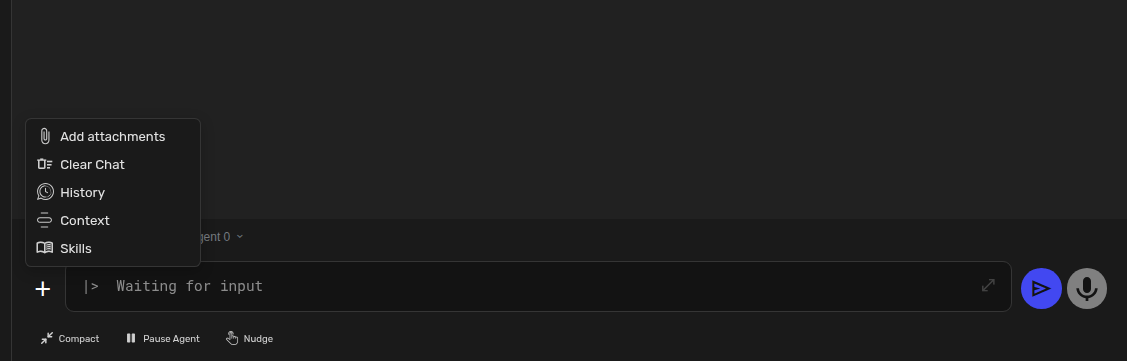
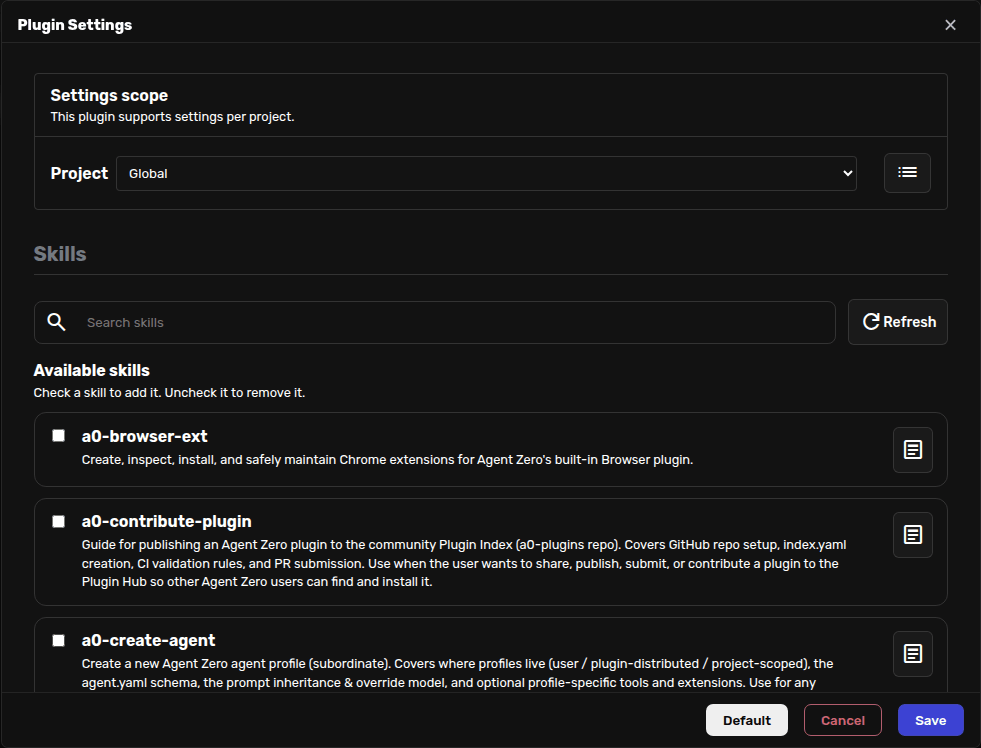
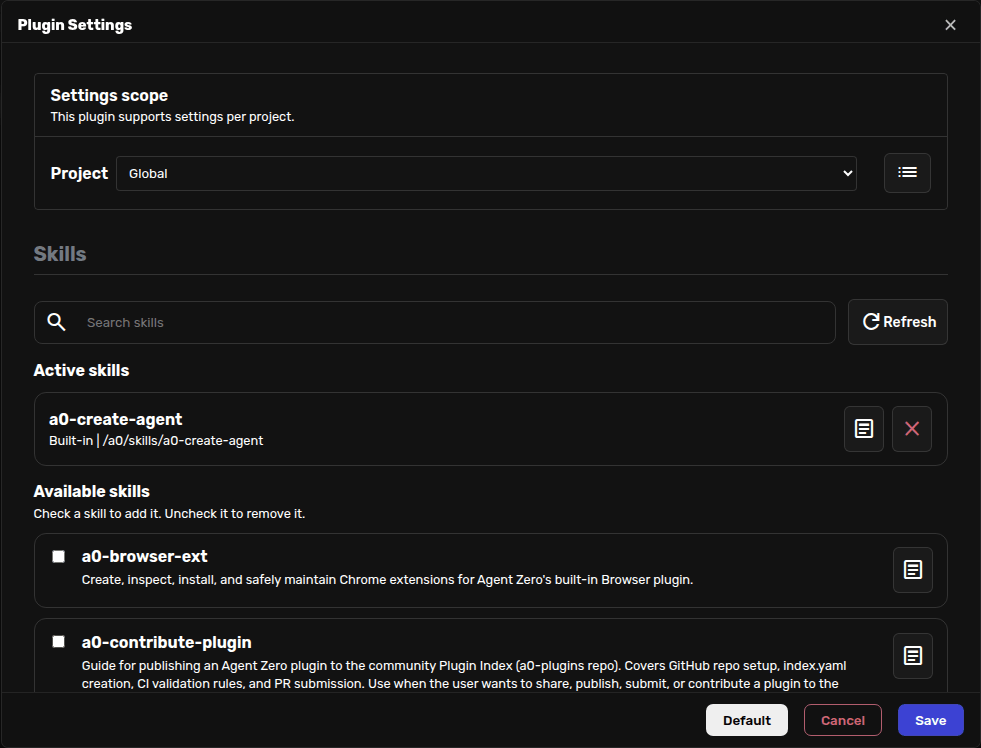
Skills are automatically discovered and loaded when contextually relevant. The agent uses the skills_tool to:

  • List all available skills - Browse the skills catalog
  • Load a specific skill by name - Explicitly activate a skill
  • Read files from within a skill directory - Access helper scripts and templates

💡 Automatic Discovery: When you ask the agent to perform a task, it searches for relevant skills based on description and tag matching. You don't need to explicitly load them.

Best Practices

Writing Effective Descriptions

The description field is crucial for semantic matching. Make it specific and include synonyms:

Good:

description: "Guides systematic debugging of Python applications using print statements, debugger, and logging to identify root causes"

Bad:

description: "Helps with debugging"

Structuring Instructions

  • Be Specific - Avoid vague instructions
  • Use Steps - Number your steps clearly
  • Include Examples - Show, don't just tell
  • Anticipate Errors - Include troubleshooting

Keep Skills Focused

One skill = one expertise area. If your skill is getting too long, split it:

  • api-design - API structure and patterns
  • api-security - API authentication and authorization
  • api-testing - API testing strategies

Naming Conventions

  • Use lowercase with hyphens: my-skill-name
  • Be descriptive: python-debugging not debug
  • Avoid generic names: fastapi-crud not api

Sharing Skills

Contribute Skills as Plugins

The recommended way to share skills with the Agent Zero community is to package them as a plugin. Plugins can bundle skills alongside tools, UI components, and other capabilities, and they are installable through the built-in Plugin Hub.

  1. Build and test the plugin locally in usr/plugins/my_plugin/ with a runtime manifest plugin.yaml
  2. Place your skill files (for example SKILL.md and helper scripts) inside the plugin directory
  3. For a community plugin, move the plugin contents to the root of its own GitHub repository, include plugin.yaml with a name field and a root LICENSE file, then publish with a separate index.yaml in a0-plugins

See the Plugins documentation for the full guide on building and publishing plugins.

Note: Standalone skill PRs to the main Agent Zero repository are not accepted. Wrap your skills in a plugin so the community can install them from the Plugin Hub.

Skills Registries

You can also share standalone SKILL.md files on registries such as skills.sh, a cross-platform skills registry:

  1. Create a GitHub repository for your skill
  2. Ensure it follows the SKILL.md standard
  3. Submit via their contribution process

Frequently Asked Questions

Where should I put my skills?

Place your skills in usr/skills/ for personal use. To share them through Agent Zero, package them as a plugin, keep local builds in usr/plugins/, and publish community versions through the Plugin Index.

How are skills discovered?

Skills are matched against their name, description, and tags for the current query. They are indexed in vector memory for semantic search.

Can I use skills from other platforms?

Yes! The SKILL.md standard is cross-platform. Skills from Claude Code, Cursor, or other compatible platforms can be copied directly to usr/skills/.

How do I update a skill?

Edit the SKILL.md file and increment the version number. Changes take effect on agent restart.

Can skills call other skills?

Skills don't directly call each other, but the agent may combine multiple skills when appropriate for a task.

Need Help?

Questions about creating or using skills? Reach out to the community!