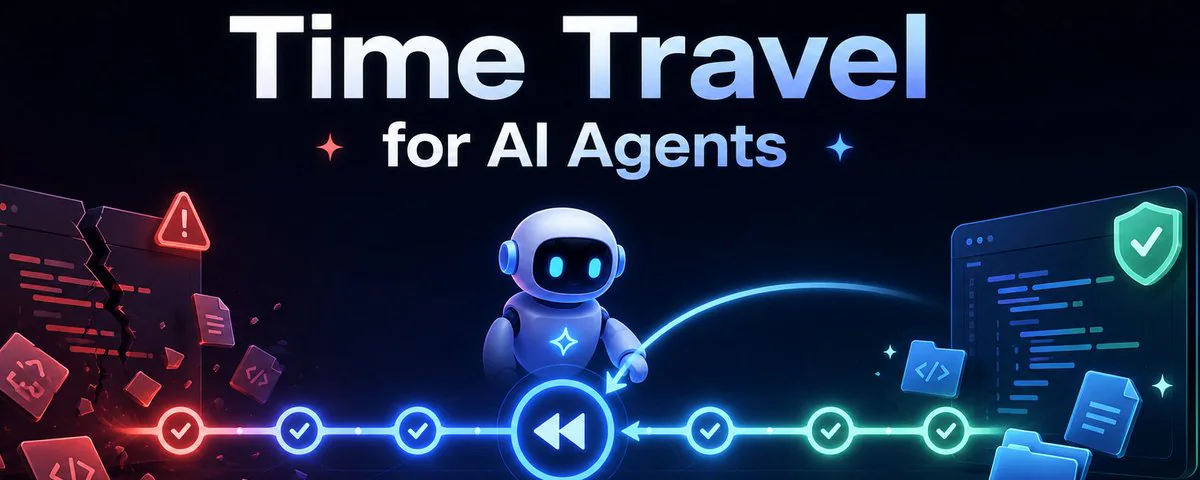
AI agents are powerful. They write code, edit files, reorganize projects, and execute long chains of actions without stopping to ask permission.
That's exactly the problem.
An agent that can do anything can also do the wrong thing. Delete a folder you needed. Overwrite a file mid-edit. Run a refactor that breaks everything three directories deep. Not because it's malicious — because it's autonomous, and autonomy has no undo button.
Until now.
The Agent Just Broke Your Project. Now What?
This is the scenario that AI agent developers don't talk about enough.
You hand an agent a complex task. It works for five minutes, makes seventeen file changes, and somewhere around edit twelve, takes a wrong turn. Now you have a broken state, partial changes, and no clear picture of what happened when.
You could dig through the terminal history. You could try to remember what the files looked like before. You could restore from a backup — if you made one.
Or you could just travel back.
Agent Zero and Space Agent both ship with a built-in Time Travel system. Not as an afterthought. Not as a "power user" setting buried in a config file. As a first-class feature, designed specifically for the reality of autonomous agent work.
How It Actually Works
Time Travel is Git-backed — which means it carries all the precision and reliability of version control without asking you to think like a developer.
Here's the mechanics:
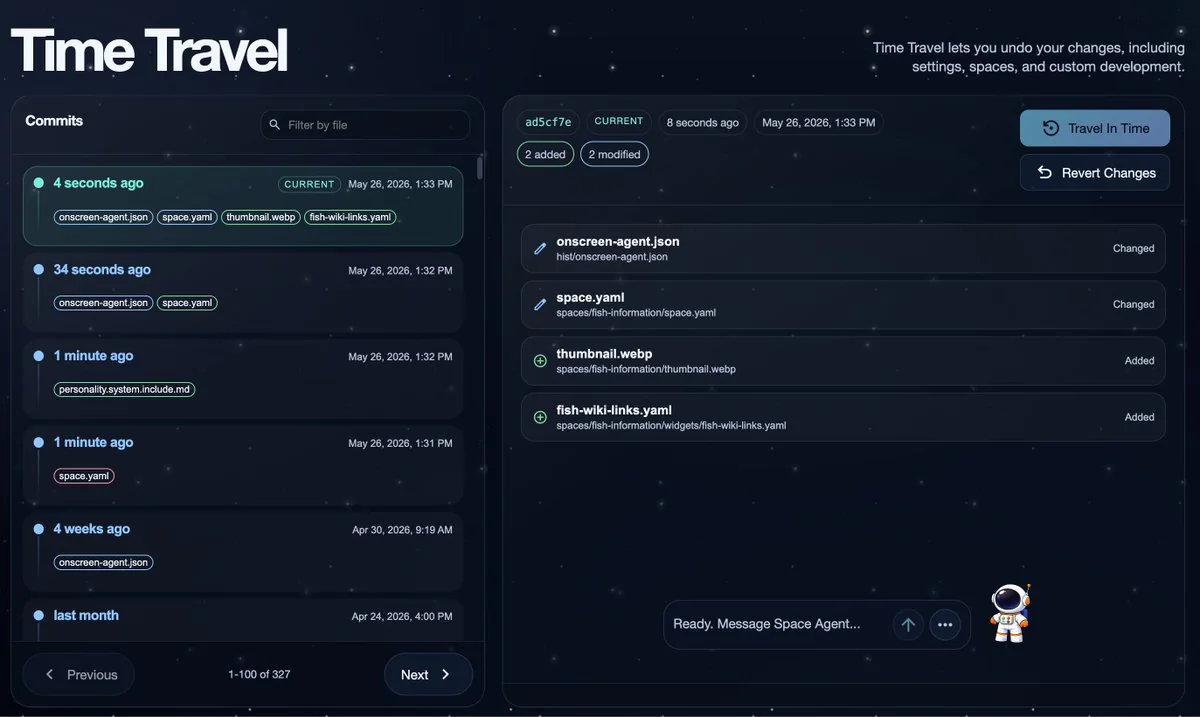
Every writable workspace — your user layer, your project files, the directories the agent actively edits — is tracked as its own local Git repository in the backend. The system commits changes automatically using an adaptive-debounced strategy: changes are batched intelligently and committed without you ever typing git commit. You just work. The history writes itself.
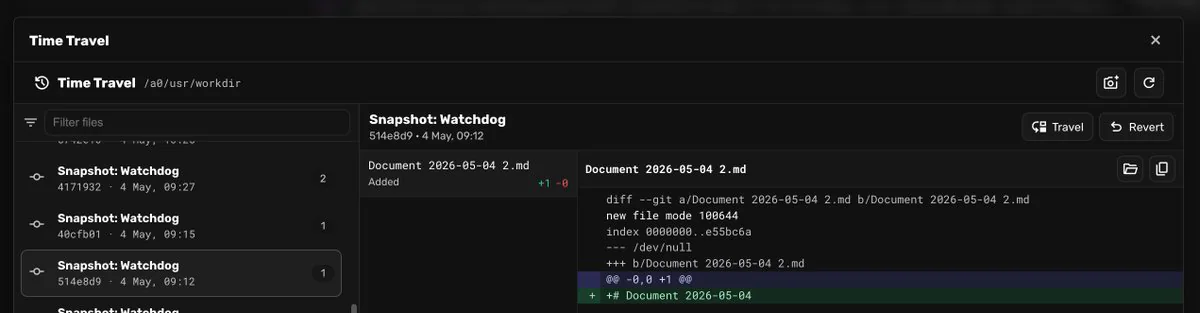
Want to see what changed? Open the Time Travel view. You get a full commit history with timestamps, changed-file metadata, and colorized diffs for every entry. Filter by filename, paginate through hundreds of commits, and inspect exactly what the agent (or you) touched at any point.
Two Ways to Fix the Past
When something goes wrong, you have two distinct recovery options — and the distinction matters.
Travel is a hard reset. You pick a commit in history, review a preview of which files will change and how, confirm, and the workspace snaps back to that exact state. It's instant, surgical, and complete.
The critical detail: the future isn't erased. The system preserves the previous head in backend-owned history refs. So if you travel back five commits and realize you went too far, you can travel forward again. History isn't a one-way street. You can navigate it in both directions as many times as you need.
Revert is non-destructive. Instead of moving your current position in history, it creates a brand-new commit that applies the inverse of the targeted change. Your history grows forward; nothing is ever overwritten. It's the surgical option for when you want to undo one specific edit without touching anything that came after it.
Both operations surface a preview before executing — showing you exactly which files are affected, with per-file diff review. No surprises.
This Isn't Git. It's Better (For Agents).
Git is for developers who know what they're committing and when. It requires intent, discipline, and a mental model of your branch structure.
Time Travel is for AI agent workspaces, where commits happen continuously, automatically, and without human choreography.
You don't write commit messages. You don't manage branches. You don't git stash before trying something risky. The system handles the history; you handle the work. When something breaks, you inspect, you travel, you continue.
Think of it as Git's safety properties applied to a workflow where a non-human is making dozens of file changes per task.
The Architecture That Makes It Safe
What makes the Time Travel implementation in Agent Zero and Space Agent particularly thoughtful is what doesn't get rolled back.
Authentication files — your login credentials, session data, access tokens — are explicitly preserved during rollback operations. Traveling back in time won't lock you out of your own workspace. The system is designed to recover your work, not reset your identity.
In Space Agent's multi-user architecture, Time Travel is scoped per user and per group. Rolling back one user's workspace doesn't touch anyone else's. In a team environment where multiple people (and multiple agents) are working in the same Space, one bad rollback can't take everyone down.
Why Every AI Agent Framework Needs This
The future of AI agents isn't agents that never make mistakes. It's agents that operate inside systems where mistakes are recoverable.
As agents become more capable — running longer tasks, editing more files, making more autonomous decisions — the cost of a wrong turn increases. Time Travel doesn't make agents more cautious. It makes the environment more forgiving, which means you can actually let your agents be bold.
Run the refactor. Let the agent reorganize the project. Try the experimental approach. The history is there. The diffs are readable. The rollback is one confirmation modal away.
That's the real unlock: agents that can take risks, in a workspace that can absorb them.
Time Travel ships with both
- Agent Zero https://github.com/agent0ai/agent-zero
- and Space Agent https://github.com/agent0ai/space-agent
Two products, same philosophy: autonomous AI work should be powerful and recoverable.
Because the best time to build a time machine is before you need one.
Related reading
- The Hitchhiker's Guide to Surviving AI Compaction
- I Run on Kali Linux. Here's What That Actually Means.