Documentation
Model Presets
Model Presets are named shortcuts for model choices. Use them when you want to switch between setups such as fast, cheap, local, balanced, or maximum power.
Choose A Preset
Open a chat, click the current preset name in the chat status bar, and choose the preset you want. The selected preset affects the current chat.
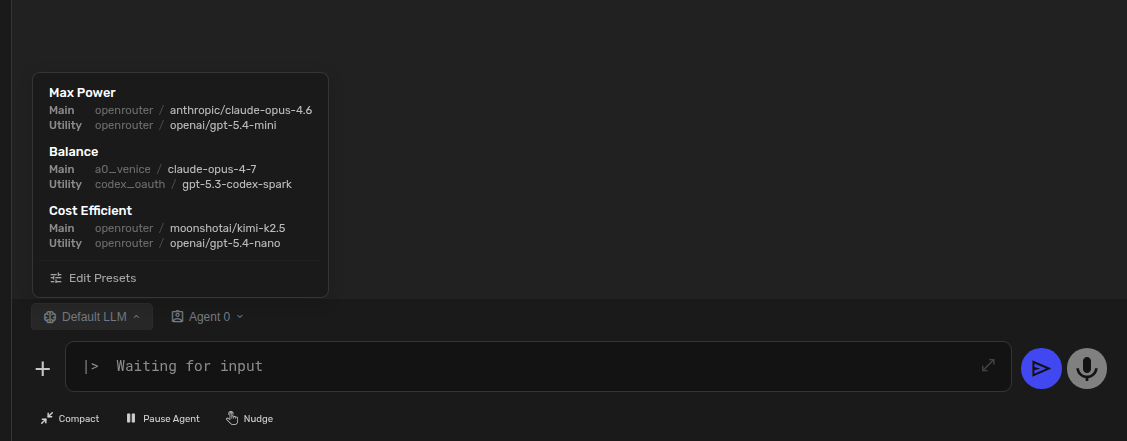
Edit Presets
Click Edit presets from the same menu. From this screen you can rename presets, choose the main model, choose the utility model, open API key settings, and save the preset list.
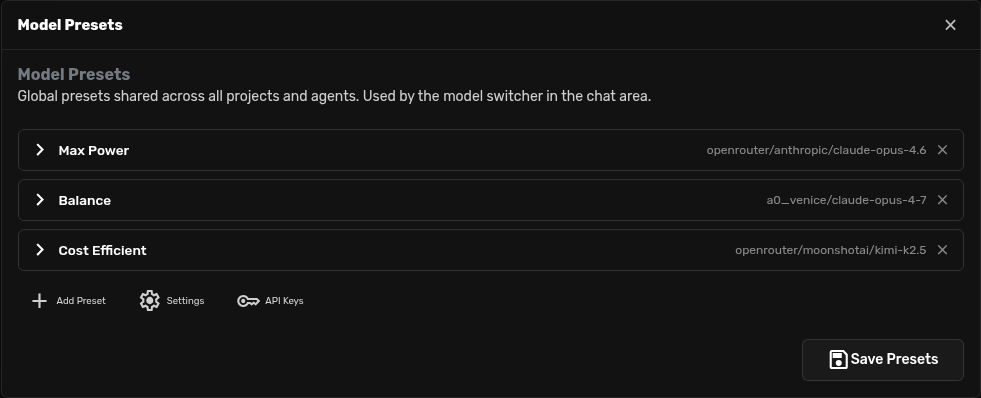
Add A Preset
Click Add Preset, give it a name, choose models, then click Save Presets. Good names are easy to spot quickly: Best, Balanced, Cheap, Local Private, or Claude Opus.
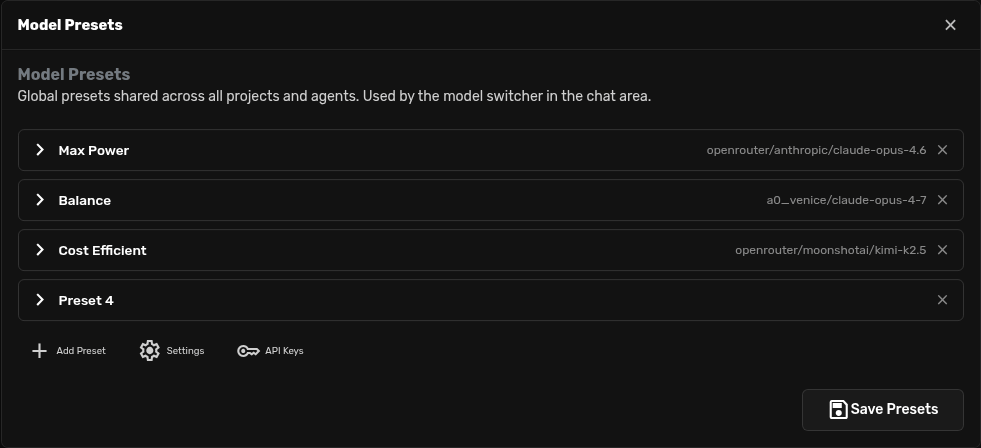
A Simple Starting Set
| Best | Hard work where quality matters more than cost or speed. |
|---|---|
| Balanced | Everyday chats, coding, writing, and research. |
| Cheap | Simple tasks, quick drafts, summaries, and tests. |