Plugins

Extend Agent Zero

Plugins add new capabilities to Agent Zero - tools, UI features, model providers, and more - without touching core code. Browse and install community plugins from the built-in Plugin Hub, or build local-only and community plugins with the same runtime manifest and scoped activation model.

Managing Plugins

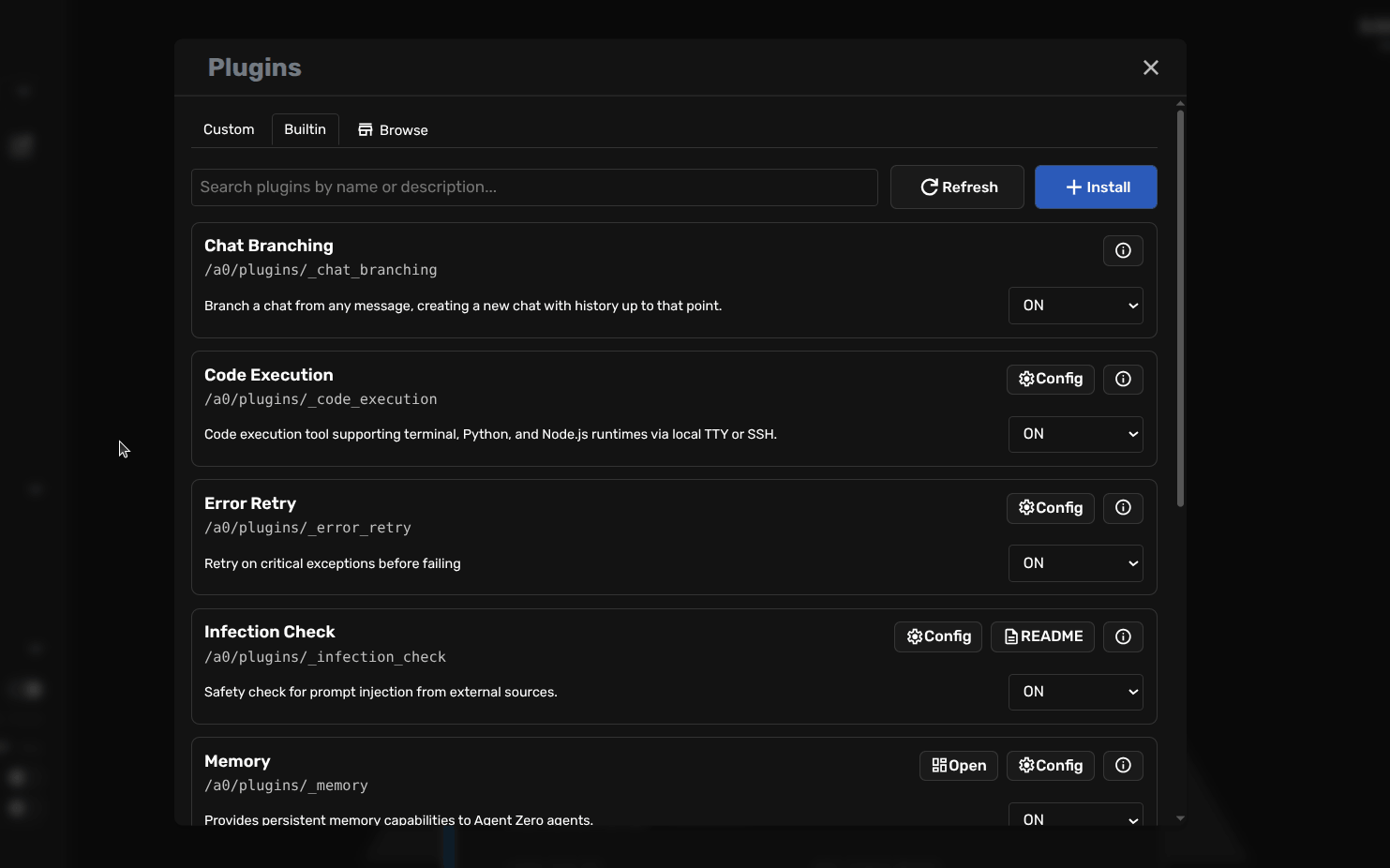
Open the Plugins dialog from the sidebar to see all installed plugins. From here you can enable or disable any plugin, access its settings, or run its setup script.

Agent Zero Plugin List showing installed plugins

Enabling and Disabling

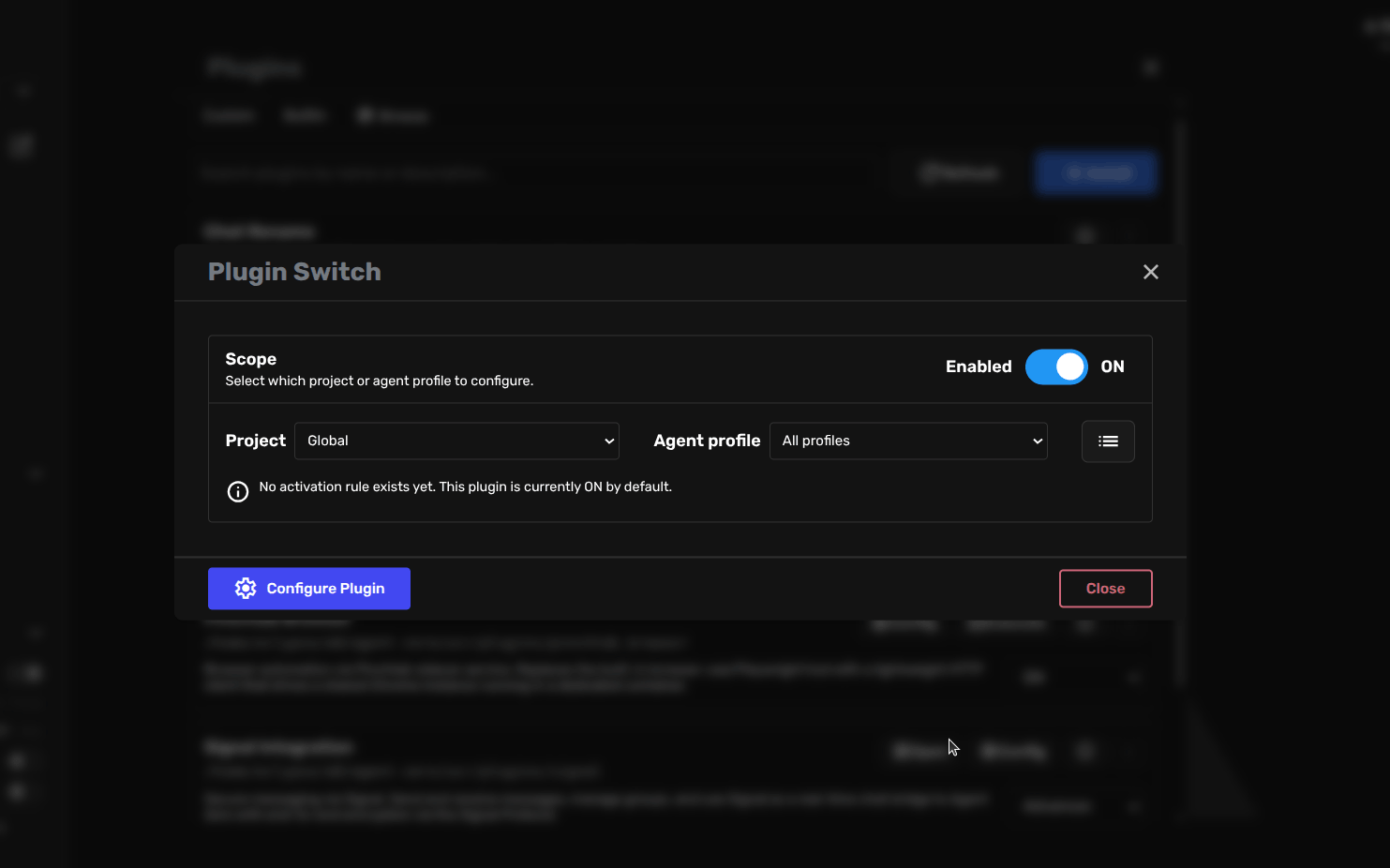
Each plugin has a simple ON/OFF toggle. Some plugins also support per-project or per-agent-profile activation, shown as the Advanced option in the toggle menu.

  • ON: plugin is active globally
  • OFF: plugin is disabled globally
  • Advanced: opens the scope selector to enable/disable per project or agent profile
Plugin activation toggle with Advanced scope selector

Plugins are ON by default when installed. A few core plugins are permanently enabled and cannot be toggled off.

Plugin Hub

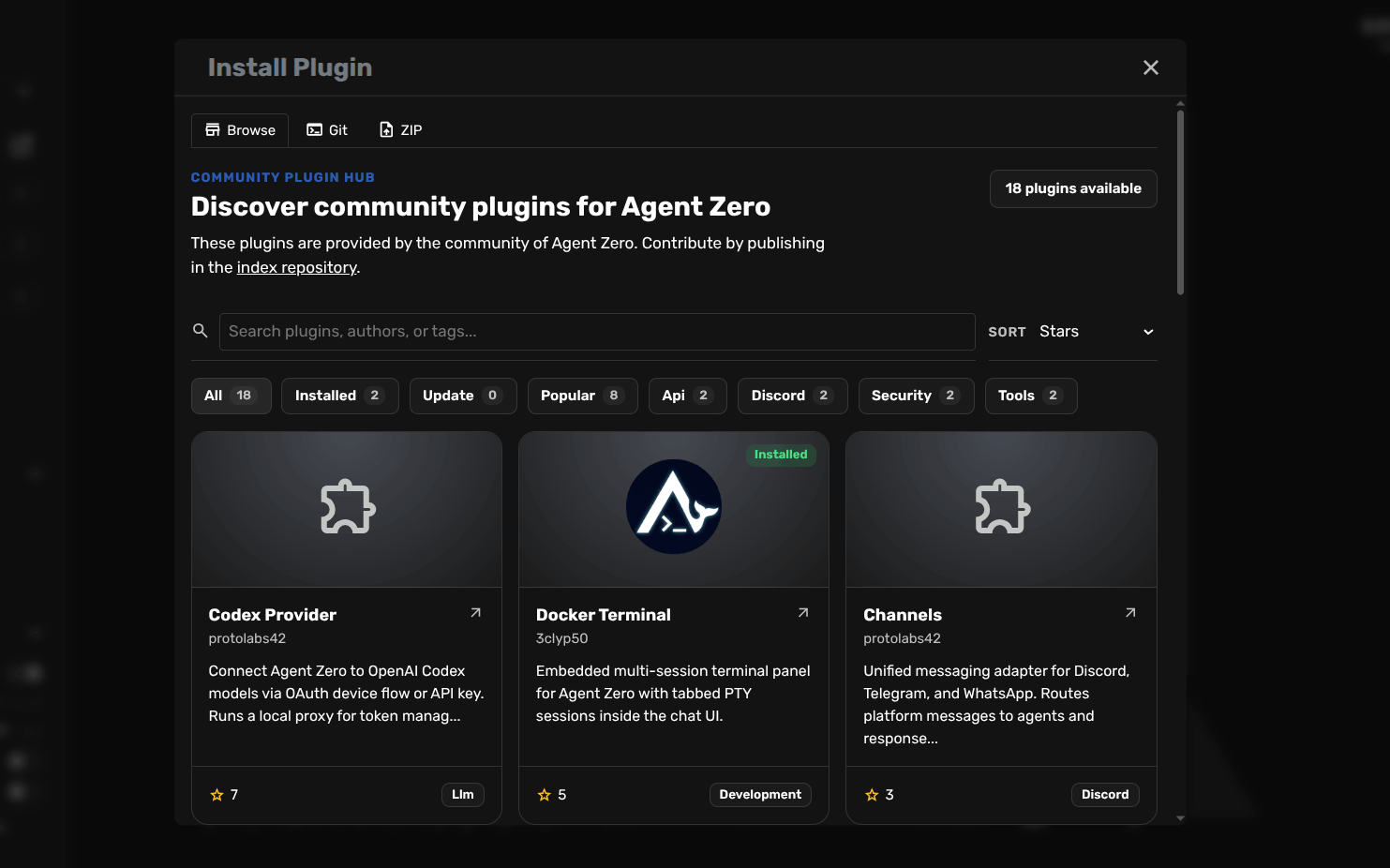
The built-in Plugin Hub lets you browse, search, filter, sort, inspect, install, and update community plugins directly from the Agent Zero UI.

How to Open

  • In the Plugins dialog, click the Browse tab (after Custom and Builtin)
  • Or click the Install button in the plugin list toolbar to open the installer on its own Browse tab
Plugin Hub - browse and search community plugins

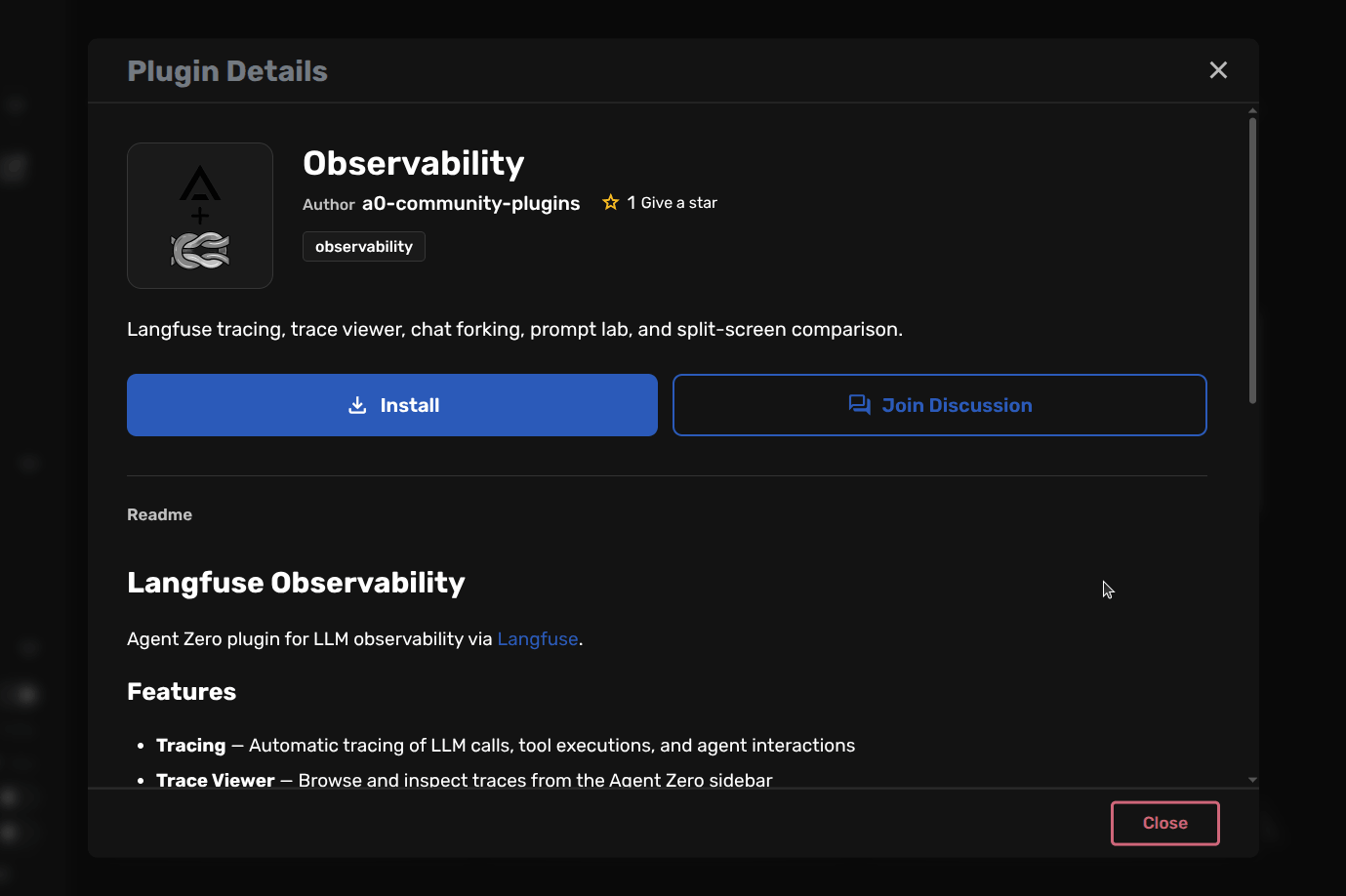
Click any plugin to open its detail view with README content, screenshots, install state, and update state. From there you can install it directly into your Agent Zero instance.

Plugin Hub - plugin detail view with Install button

Security Scanning

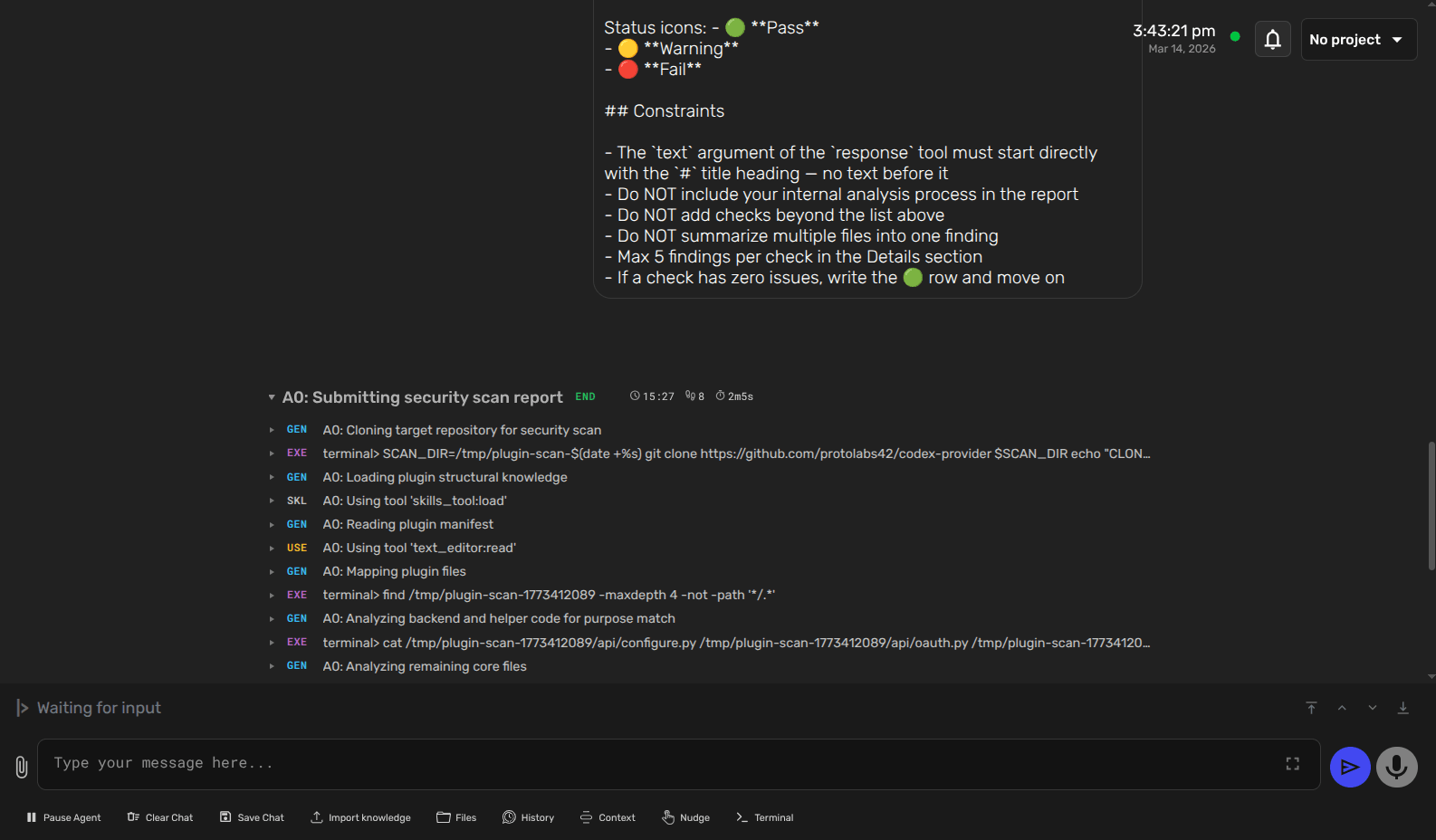
Before installing a third-party plugin, you can run an AI-driven security scan that clones the repository, reads every file, and produces a structured report.

What Gets Checked

  • Structure match: does the plugin follow expected conventions?
  • Static code review: code quality and pattern analysis
  • Agent manipulation: attempts to hijack agent behavior
  • Remote communication: unexpected outbound network calls
  • Secrets access: attempts to read API keys, tokens, or credentials
  • Obfuscation: code designed to hide its true purpose
Plugin security scan results report

Recommendation: Always scan third-party plugins before installing. The scan runs from the Plugin Hub detail view or can be triggered by the agent via the _plugin_scan API.

Building Plugins

How Plugins Work

Agent Zero uses a convention-over-configuration model. Plugins live in folders, are discovered automatically, and can provide any combination of backend, frontend, and configuration capabilities.

What a Plugin Can Add

  • Backend: API handlers, tools, helpers, named lifecycle extensions, and implicit @extensible hooks
  • Frontend: WebUI components, settings pages, static extension breakpoints, and JS hooks
  • Agent profiles: subagent definitions via agents/<profile>/agent.yaml
  • Scoped settings: project-level and agent-profile-level configuration
  • Model providers: custom LLM providers via conf/model_providers.yaml

Where to build: Always create new plugins in usr/plugins/. The plugins/ directory is reserved for core system plugins. When folder names collide, user plugins take precedence. Build in usr/plugins/ for local-only use and testing; community plugins later move to their own GitHub repo root for publishing.

Plugin Manifest

Every plugin needs a plugin.yaml at its root - without it, Agent Zero won't discover the plugin. This is the runtime manifest that controls how the plugin behaves for both local-only and community plugins.

name: my_plugin              # required for community plugins (^[a-z0-9_]+$, must match dir name)
title: My Plugin
description: What this plugin does.
version: 1.0.0
settings_sections:
  - agent
per_project_config: false
per_agent_config: false
always_enabled: false

Field Reference

  • name: plugin identifier; required for community plugins submitted to the Plugin Index; must be ^[a-z0-9_]+$ and match the index folder name exactly
  • title: display name shown in the UI
  • description: short summary shown in the plugin list
  • version: version string
  • settings_sections: which Settings tabs show this plugin (agent, external, mcp, developer, backup)
  • per_project_config: enables project-scoped settings and toggles
  • per_agent_config: enables agent-profile-scoped settings and toggles
  • always_enabled: forces ON, disables UI toggles (reserved for framework use)

Directory Structure

Agent Zero discovers plugin capabilities from folder names. Place files in the right directories and they are picked up automatically.

usr/plugins/<plugin_name>/
├── plugin.yaml                   # Required: manifest
├── execute.py                    # Optional: user-triggered script
├── hooks.py                      # Optional: framework runtime hooks
├── default_config.yaml           # Optional: fallback defaults
├── README.md                     # Optional locally; strongly recommended for community plugins
├── LICENSE                       # Optional locally; required at repo root for Plugin Index submission
├── conf/
│   └── model_providers.yaml      # Optional: add/override LLM providers
├── api/                          # API handlers
├── tools/                        # Agent tools
├── helpers/                      # Shared Python logic
├── prompts/                      # Prompt templates
├── agents/
│   └── <profile>/agent.yaml      # Plugin-distributed agent profile
├── extensions/
│   ├── python/<extension_point>/  # Named backend lifecycle hooks
│   ├── python/_functions/<module>/<qualname>/<start|end>/  # Implicit @extensible hooks
│   └── webui/<extension_point>/   # Frontend HTML/JS contributions
└── webui/
    ├── config.html               # Plugin settings UI
    └── ...                       # Pages and components

The only valid implicit @extensible layout is extensions/python/_functions/<module>/<qualname>/<start|end>/. The older flattened form extensions/python/<module>_<qualname>_<start|end>/ is obsolete.

Python Imports for User Plugins

For plugin-local Python code inside usr/plugins/<plugin_name>/, use the fully qualified usr.plugins.<plugin_name>... import path.

Preferred Pattern

from usr.plugins.my_plugin.helpers.runtime import do_work
import usr.plugins.my_plugin.helpers.state as state

Avoid These Patterns

# Avoid sys.path hacks
sys.path.insert(0, ...)
from helpers.runtime import do_work

# Avoid symlink-dependent imports for user plugins
from plugins.my_plugin.helpers.runtime import do_work

This keeps plugin imports explicit, avoids directory renaming tricks like name_helpers, avoids installation-time symlinks, and leaves no global import wiring behind when a plugin is removed.

Scripts and Hooks

execute.py - User-Triggered Script

An optional script at the plugin root for manual operations: installing dependencies, refreshing caches, running migrations, or post-install setup. Triggered from the Plugins UI, never automatically. Use it for user-initiated work, not framework lifecycle behavior.

  • Return 0 on success, non-zero on failure
  • Print progress so users can follow the output stream
  • Prefer making it safe to rerun
  • Do not make permanent system modifications unless the user explicitly asked for them and the plugin also provides a cleanup path
import subprocess
import sys

def main():
    print("Installing dependencies...")
    result = subprocess.run(
        [sys.executable, "-m", "pip", "install", "requests==2.31.0"],
        text=True,
    )
    if result.returncode != 0:
        print("ERROR: Installation failed")
        return result.returncode
    print("Done.")
    return 0

if __name__ == "__main__":
    sys.exit(main())

hooks.py - Framework Runtime Hooks

An optional module for framework-internal operations such as install(), pre_update(), cache setup, and plugin registration. Called automatically by Agent Zero through helpers.plugins.call_plugin_hook(...).

  • Runs inside the Agent Zero framework runtime, not the agent execution environment
  • Built-in flows call install() after install and pre_update() immediately before plugin updates
  • Hook functions can be sync or async
  • Modules are cached until plugin caches are cleared
  • Hooks should be reversible and cleanup-safe

Frontend Extension Surfaces

Frontend plugins can extend Agent Zero through static HTML breakpoints and JS hooks under extensions/webui/<extension_point>/. Keep the website docs high level here; use the GitHub architecture docs for the full list of extension points and hook contracts.

Environment Targeting

sys.executable -m pip install in hooks.py installs into the framework runtime. For the agent execution environment, target that runtime explicitly in a subprocess. In Docker: framework = /opt/venv-a0, agent execution = /opt/venv.

Plugin Settings

Plugins that need user-configurable settings add a webui/config.html file. The system detects it automatically and shows a Settings button in the relevant tabs.

Settings resolve from most specific scope to least specific fallback:

  1. project/.a0proj/agents/<profile>/plugins/<name>/config.json
  2. project/.a0proj/plugins/<name>/config.json
  3. usr/agents/<profile>/plugins/<name>/config.json
  4. usr/plugins/<name>/config.json
  5. plugins/<name>/default_config.yaml (fallback)

Save operations are scope-aware. Fallback defaults support both JSON and YAML.

Custom Model Providers

Plugins can register additional LLM providers by including a conf/model_providers.yaml. At startup, Agent Zero merges all provider files from enabled plugins with the base configuration.

# usr/plugins/my_plugin/conf/model_providers.yaml
chat:
  my_custom_provider:
    name: My Custom LLM
    litellm_provider: openai
    kwargs:
      api_base: https://my-llm.example.com/v1

embedding:
  my_custom_embed:
    name: My Embeddings
    litellm_provider: openai
    kwargs:
      api_base: https://my-embed.example.com/v1

Plugin API

Management Endpoint

POST /api/plugins with actions:

  • get_config / save_config / list_configs / delete_config - settings CRUD
  • toggle_plugin - change activation state
  • get_doc - fetch README or LICENSE for display

Plugin Routes

  • GET /plugins/<name>/<path> - static assets
  • POST /api/plugins/<name>/<handler> - plugin API handlers

Best Practices

  • Build in usr/plugins/, never in core plugins/
  • Keep folder names stable - they are the permanent plugin identifier
  • Use usr.plugins.<plugin_name>... for plugin-local Python imports
  • Use default_config.yaml for safe defaults
  • Add README.md for a better Plugin Hub detail view; add LICENSE when publishing a community plugin to the Plugin Index
  • Use the A0 notification system for user feedback, not inline error/success elements
  • Deleting a plugin should not leave behind symlinks, orphaned services, framework patches, or stray files outside plugin-owned paths

For frontend extension patterns and deeper implementation details, see AGENTS.plugins.md.

Sharing Plugins

Publishing to the Plugin Index

The Plugin Index is a community-maintained registry on GitHub. Plugins listed there appear in the built-in Plugin Hub for all Agent Zero users.

Two Distinct Manifest Files

There are two completely different manifests - don't confuse them:

Runtime manifest (plugin.yaml in your plugin repo - drives Agent Zero behavior):

name: my_plugin              # REQUIRED - must match index folder name
title: My Plugin
description: What this plugin does.
version: 1.0.0
settings_sections:
  - agent

Index manifest (index.yaml in the a0-plugins repo - drives discoverability only):

title: My Plugin
description: What this plugin does.
github: https://github.com/yourname/your-plugin-repo
tags:
  - tools
  - example
screenshots:                    # optional, up to 5 image URLs
  - https://raw.githubusercontent.com/yourname/your-plugin-repo/main/docs/screen.png

Repository Layout

A publishable community plugin must live in its own GitHub repository with the plugin contents at the root (not inside a subfolder), so it can be cloned directly into usr/plugins/<name>/. A local-only plugin can stay in your local usr/plugins/<name>/ folder without Plugin Index requirements.

your-plugin-repo/          <- GitHub repository root
├── plugin.yaml            <- runtime manifest; must include name field
├── default_config.yaml
├── README.md
├── LICENSE                <- required for Plugin Index submission
├── api/
├── tools/
├── extensions/
└── webui/

Submission Steps

  1. Create a GitHub repository with the runtime manifest plugin.yaml (including the name field) at the repo root.
  2. Fork agent0ai/a0-plugins.
  3. Create plugins/<your_plugin_name>/ and add the separate index.yaml index manifest. Optionally include a square thumbnail (≤ 20 KB).
  4. Open a Pull Request adding exactly one plugin folder.
  5. CI validates automatically. A maintainer reviews and merges.

Submission Rules

  • Folder name: ^[a-z0-9_]+$ (lowercase, numbers, underscores - no hyphens), must match the name in your remote plugin.yaml
  • Your plugin GitHub repo must include a root LICENSE file
  • Folders starting with _ are reserved for internal use
  • title: max 50 characters; description: max 500 characters; index.yaml: max 2000 characters
  • tags: up to 5 - see TAGS.md
  • screenshots: up to 5 image URLs (png/jpg/webp, each ≤ 2 MB)