Documentation
Projects
Projects tell Agent Zero what world it is working in. Use one when a chat needs its own purpose, instructions, files, memory, secrets, and model choices.
When To Use A Project
Create a project when you want context to stay focused instead of leaking into every other chat.
A Git repository with its own files and rules.
A client tone, files, credentials, and memory.
Sources, notes, and repeatable research habits.
A report or automation that follows the same steps.
Stay in a normal chat when the task is quick, disposable, or unrelated to a larger body of work.
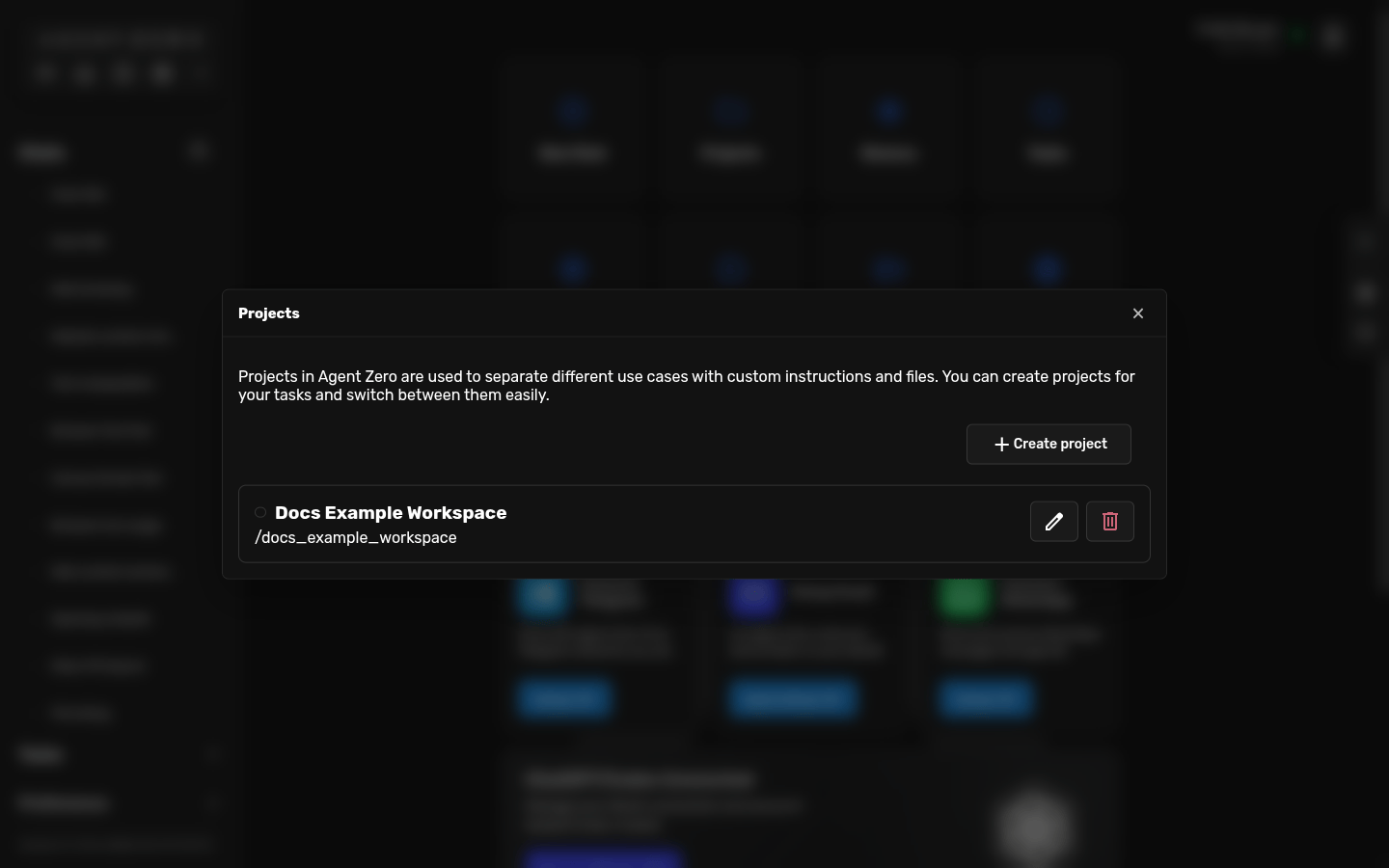
Open Projects
- Open the dashboard.
- Click Projects.
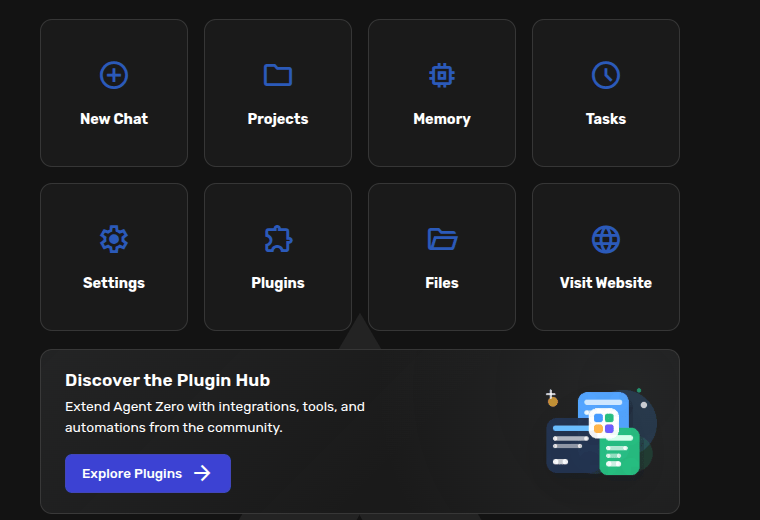
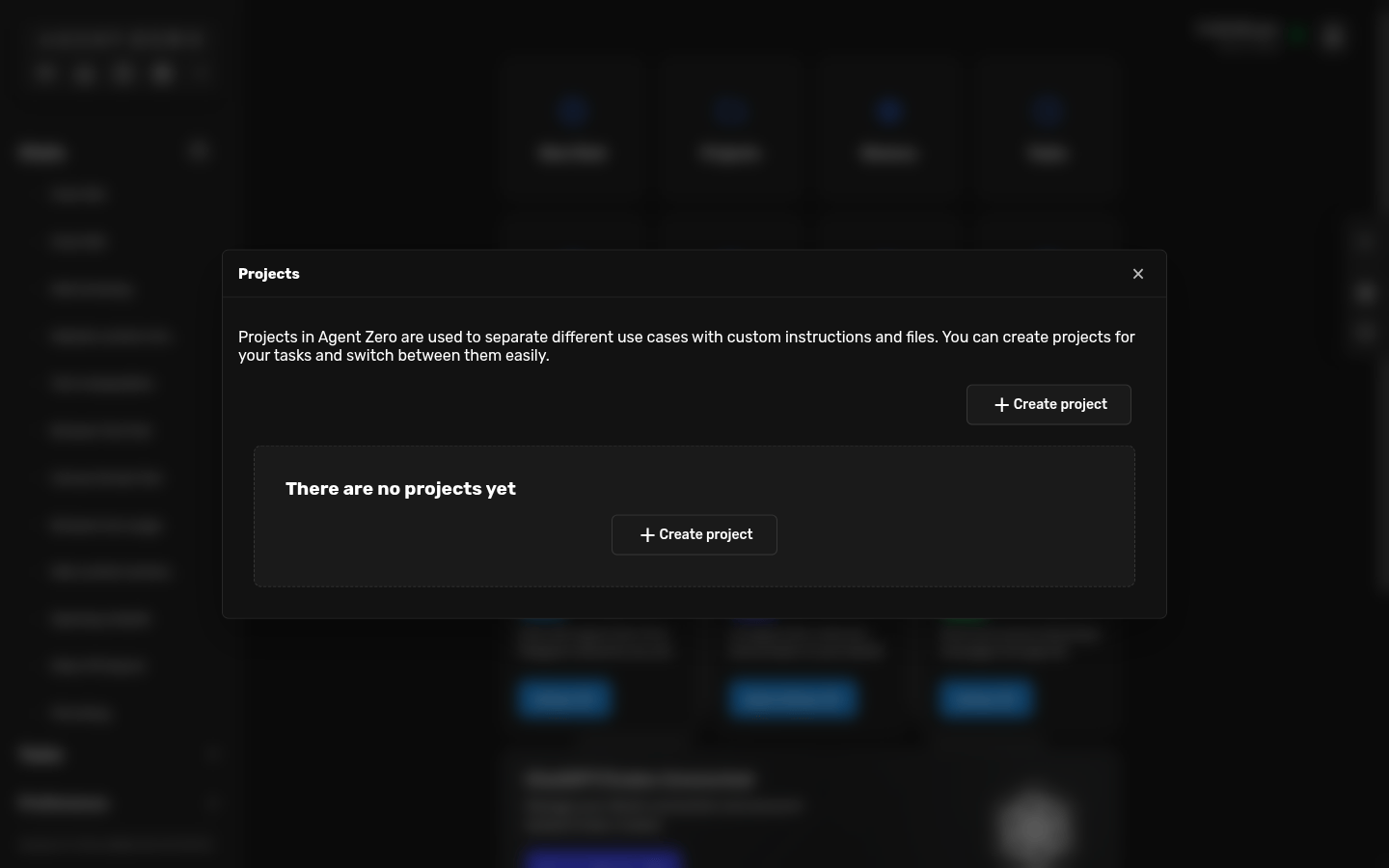
- If the list is empty, click Create project.
Create A Project
Give the project a clear title. The title is what you will recognize later in the project picker. For a simple project, the title is enough.
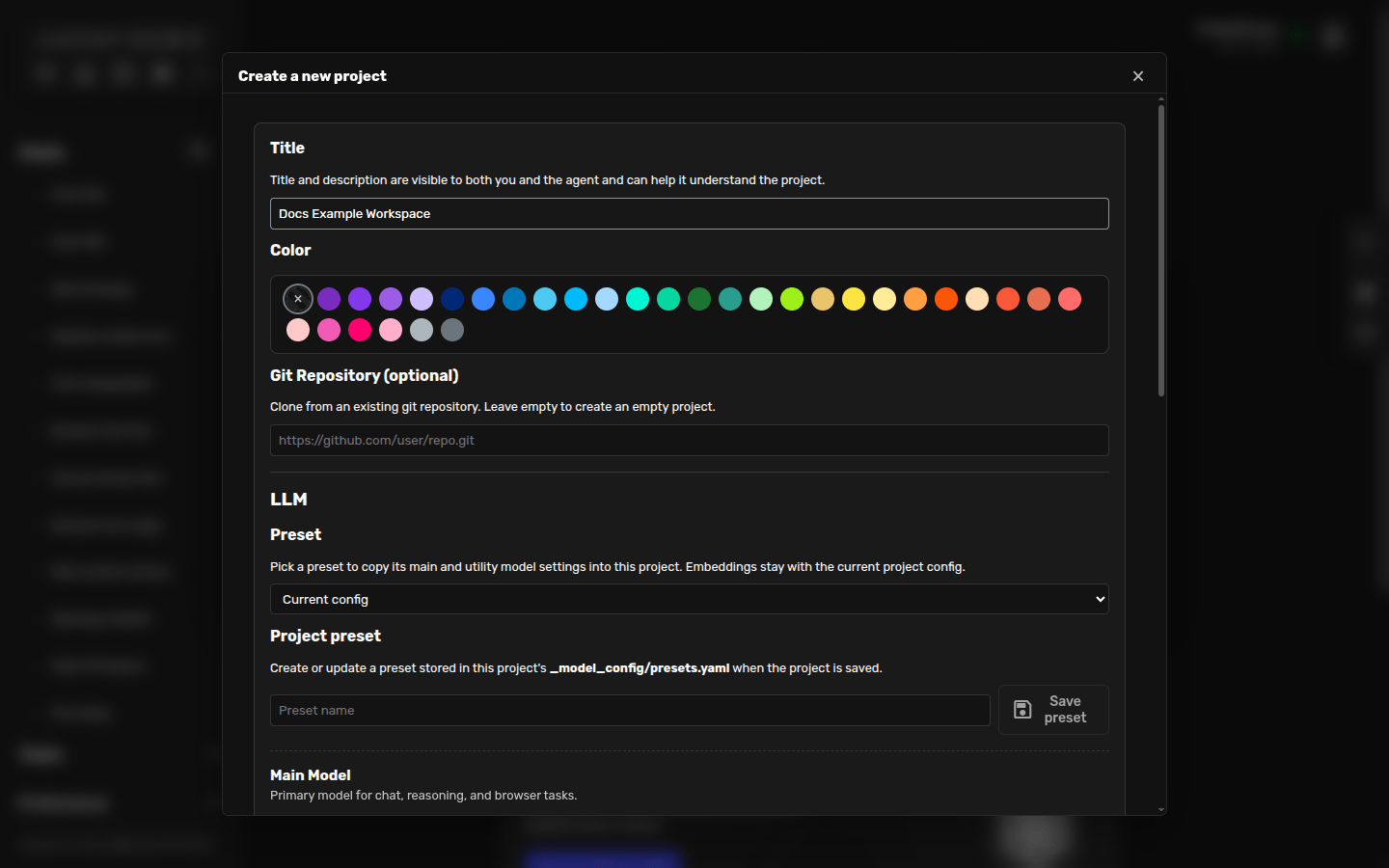
If you want Agent Zero to clone a repository into the project, paste the Git URL before you continue. After creation, Agent Zero opens the edit screen.
Write Helpful Instructions
Description answers: what is this project? Instructions answer: how should Agent Zero behave when this project is active?
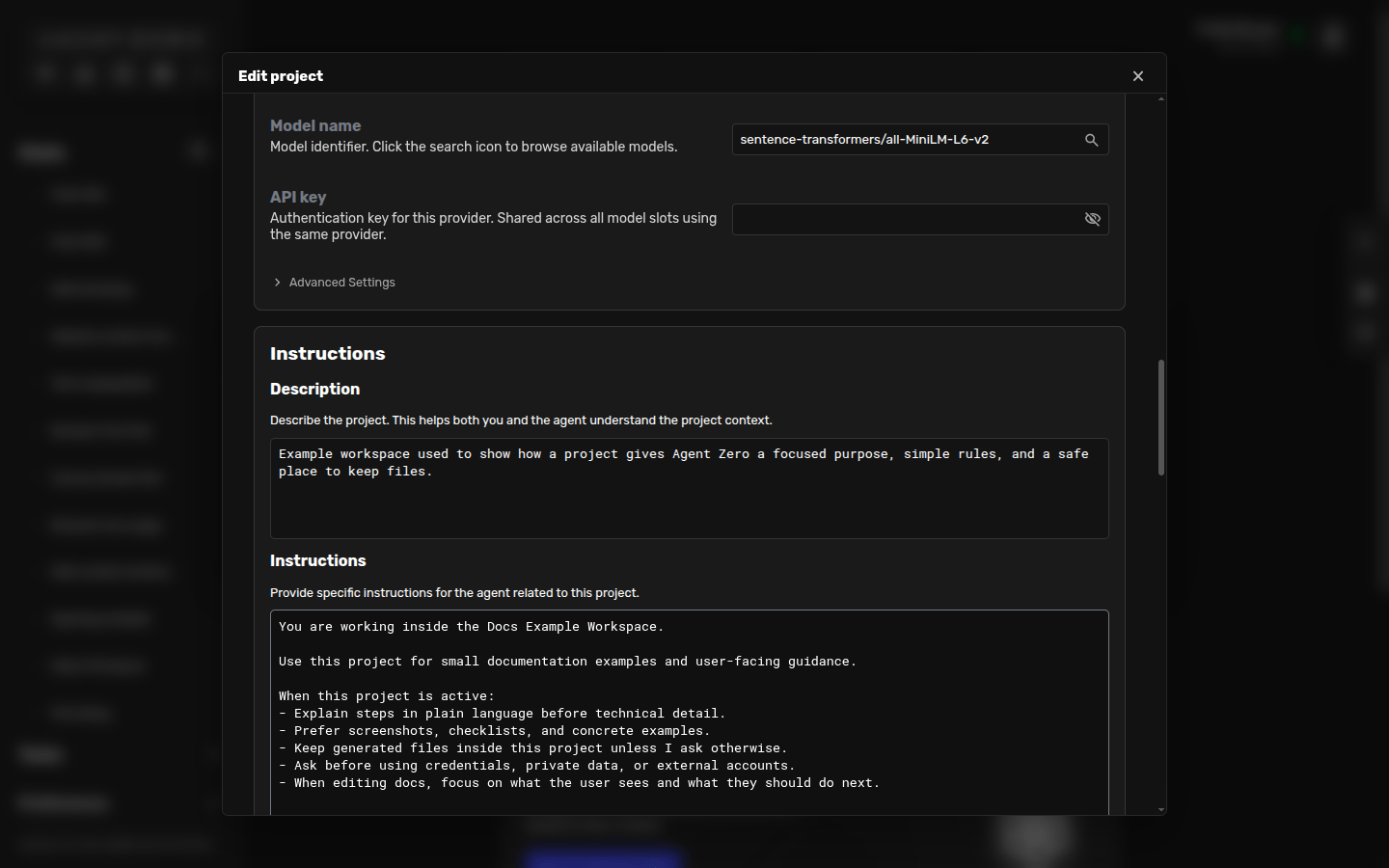
Good instructions are usually short and specific. Tell Agent Zero what the project is for, what style you want, where files should be read or written, what quality rules matter, and when it should ask before acting.
You are working inside the Docs Example Workspace.

Use this project for small documentation examples and user-facing guidance.

When this project is active:
- Explain steps in plain language before technical detail.
- Prefer screenshots, checklists, and concrete examples.
- Keep generated files inside this project unless I ask otherwise.
- Ask before using credentials, private data, or external accounts.
A project prompt does not need to be a constitution. Start small, then improve it when you notice what the agent should do differently.
Activate A Project
- Open or create a chat.
- Click the project picker in the top-right corner. It may say No project.
- Choose your project.
- When the project name appears in the top bar, that chat is using the project.
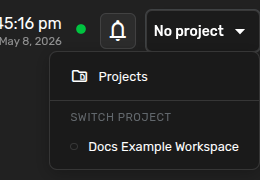
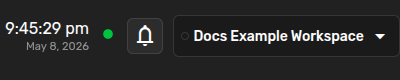
Each chat can use a different project, so a client chat, code chat, and research chat can stay separate at the same time.
What Changes After Activation
When a project is active, Agent Zero can use the project instructions, project workspace files, project memory, project variables and secrets, and project-specific model settings when configured.
Read the project instructions and tell me how you will work in this workspace.

Create a short README for this project based on its current files.

Use this project as the home for our weekly research notes.
Git Projects
If you paste a Git repository URL while creating the project, Agent Zero clones that repository into the project workspace.
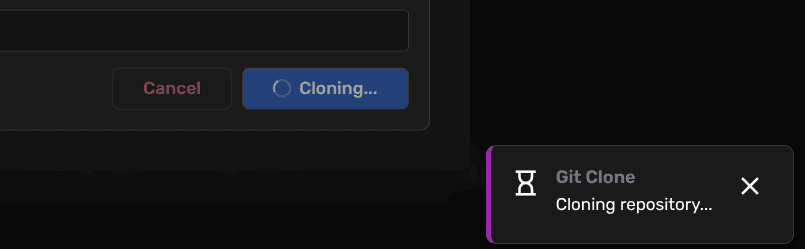
Use Git projects when you want Agent Zero to work on a real codebase with the right local files, branch state, and project instructions. For private repositories, use a token when the UI asks for one. Do not paste tokens into chat messages.
Variables And Secrets
Projects can store values that only make sense inside that workspace.
Use these for non-sensitive values like
REPORT_FORMAT=markdown or DEFAULT_REGION=eu-west.Use these for credentials such as API keys and passwords. Refer to them by exact name in chat.
Use the project GITHUB_TOKEN to check the repository status.Keep your own copy of important secrets. Backups may not include every secret.
User-Owned Overrides
Agent Zero has base content at the root of the install, and user-owned content under /a0/usr. As a rule of thumb: if something in /a0/usr has the same ID as something in the root /a0 area, the user-owned version replaces or extends the root version.
That matters for profiles, prompts, plugins, projects, and other customizations. Put your edits in /a0/usr so updates can refresh the root install without erasing your work.
Keep Projects Tidy
- Use a clear title.
- Keep instructions short enough to read.
- Store files where the project expects them.
- Scope secrets to the project that needs them.
- Update instructions when the workflow changes.
- Create a new project when the work belongs to a different client, codebase, or topic.
Common Problems
- Agent Zero ignores the project: check the top-right project picker. The project name must be visible in the active chat.
- Instructions are stale: open Projects, edit the instructions, and save.
- A Git repository did not clone: check the URL, authentication token, and network access.
- Secrets are not being used: make sure the secret is saved in the project and refer to it by exact name.
- The project became too broad: split it. Projects work best when each one has a clear job.