Documentation
Subagents
Agent Zero can delegate parts of a problem to focused subagents. You do not need to manage the internal architecture; describe the work and the kind of help you want.
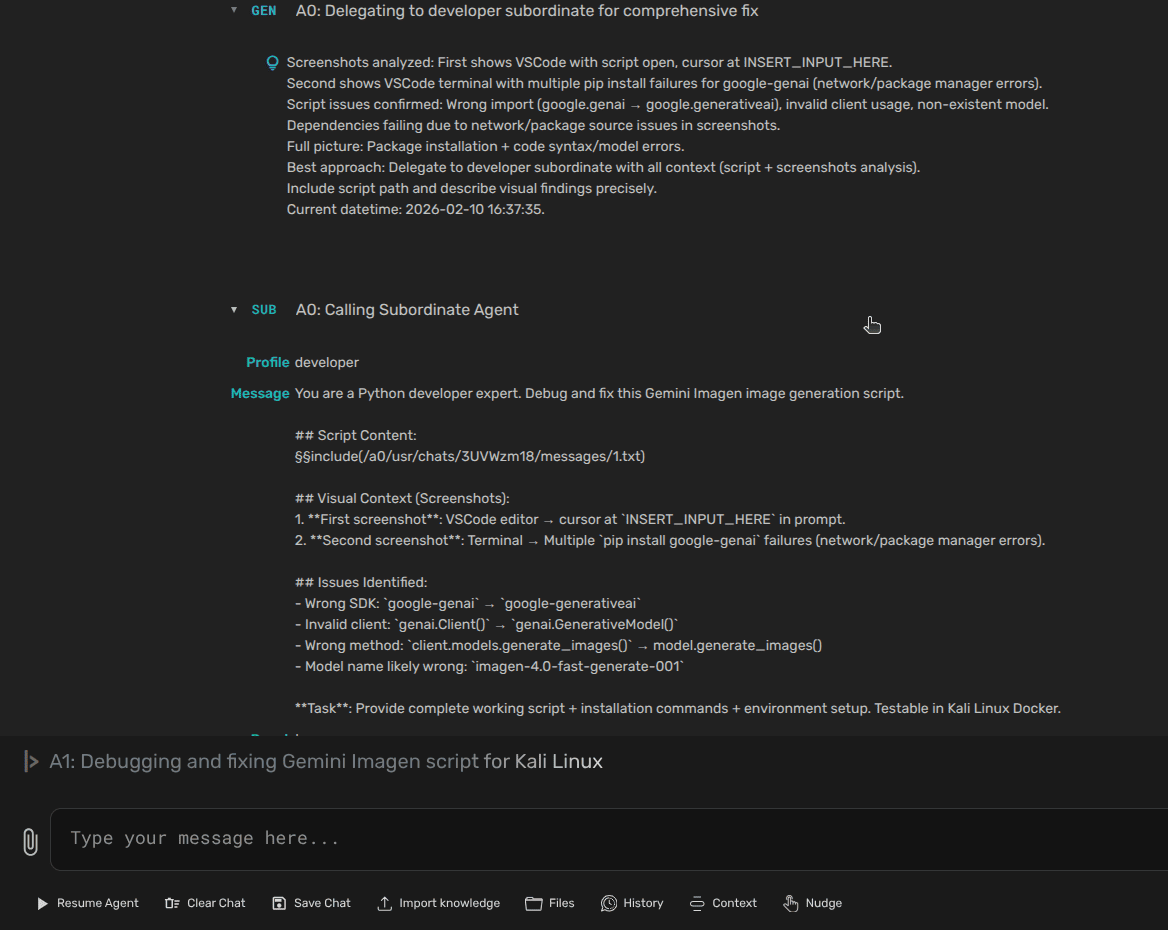
When To Use Subagents
- A task can be split into independent parts.
- You want one agent to implement and another to review.
- You need separate research, coding, writing, or verification perspectives.
- The main chat is getting crowded and a focused worker would help.
Stay with one agent for small, linear work. Delegation has value when the split reduces confusion.
Ask For Delegation
Use plain language. Tell Agent Zero what can run in parallel, what should remain local, and what output you want back.
Split this into two focused passes:
- one subagent should review the docs for missing user steps;
- one subagent should check screenshots and image paths.
Keep implementation decisions in this main chat and summarize findings before editing.
Review Subagent Work
Ask for concrete output: changed files, risks, assumptions, and anything the subagent intentionally did not touch. This keeps the main chat responsible for integration.
Profiles And Projects Affect Subagents
The active Agent Profile and Project can shape how subagents behave. If you customize profile files directly, use /a0/usr/agents/<profile-name>/, not root /a0/agents.
Rule of thumb: if a user-owned item in /a0/usr has the same ID as a root item in /a0, the user-owned item replaces or extends the root version.
For project-specific subagent behavior, keep project config with the project. For source-level details, use DeepWiki for Agent Zero.
Best Practices
- Delegate bounded work with a clear finish line.
- Do not ask multiple agents to edit the same files unless you are coordinating carefully.
- Keep the main chat responsible for final decisions.
- Ask subagents to report risks and assumptions, not just success.
- Use Projects for shared workspace context before starting large delegated work.