Chat Status Marklet
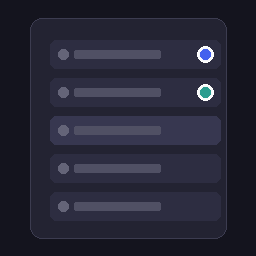
Visual status indicators for sidebar chat items. Pulsing blue dot for running processes, solid green dot for finished but unseen results. Unseen marks clear when chat is selected.
README
Chat Status Marklet
An Agent Zero plugin that adds visual status indicators (marklets) to sidebar chat items, so you always know which chats have running processes or unread results.
Features
| Indicator | Visual | When Shown | Clears When |
|---|---|---|---|
| Running | 🔵 Pulsing blue dot | A process is actively running in that chat | The process stops |
| Finished (unseen) | 🟢 Solid green dot | A process finished but the chat has not been viewed yet | The chat is selected/clicked |
How It Works
- Monitors all chat contexts for
runningstate transitions via the framework polling mechanism - When a chat's process transitions from running to stopped, marks it as "finished unseen"
- If the user is already viewing that chat when it finishes, no unseen mark appears
- Clicking the chat clears the unseen indicator immediately
- Unseen state persists across page refreshes via
sessionStorage
Installation
Install from the Agent Zero Plugin Hub, or manually:
cd /a0/usr/plugins
git clone https://github.com/mbradaschia/a0-chat-status-marklet.git chat_status_marklet
Then refresh your browser.
Technical Details
The plugin hooks into the existing sidebar chat list using the sidebar-chats-list-end extension point. It creates an Alpine.js store (chatStatusMarklet) that:
- Patches
chatsStore.applyContexts()to intercept every poll update and detect running→stopped transitions - Patches
chatsStore.selectChat()to clear unseen marks when a chat is selected - Uses
MutationObserverwithrequestAnimationFramedebouncing to inject/remove dot elements into each chat row - Supports both dark mode and light mode with appropriate color adjustments
Compatibility
Requires Agent Zero v0.8.2 or later (extension points system).
License
MIT License. See LICENSE for details.