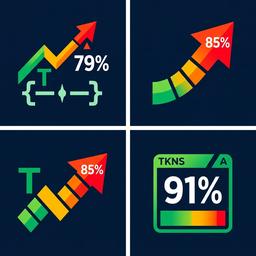
Context Window Indicator
Shows real-time context window usage percentage with color-coded badge in the chat UI bar. Tracks tokens via tiktoken and updates after each agent response cycle.
README
Context Window Indicator Plugin
Shows real-time context window usage percentage in the Agent Zero chat UI bar.
Features
- Displays current token usage as a percentage of the model's context window
- Color-coded indicator: green (ok), yellow (warning), orange (danger), red (critical)
- Visual progress bar alongside the percentage
- Tooltip with detailed token count, context length, model name, and percentage
- Auto-polls every 5 seconds to keep stats current
- Responsive design: hides progress bar on mobile, keeps percentage visible
Configuration
Edit default_config.yaml to customize thresholds:
| Setting | Default | Description |
|---|---|---|
warning_threshold |
50 | Percentage to show yellow warning |
danger_threshold |
75 | Percentage to show orange danger |
critical_threshold |
90 | Percentage to show red critical |
show_bar |
true | Show/hide the progress bar |
poll_interval_seconds |
5 | How often to refresh stats |
How It Works
- Extension Hook:
response_stream_endhook computes token stats after each agent response and caches them - API Endpoint:
/plugins/context_indicator/context_statsserves cached or fresh stats per context - Alpine Store: Frontend store polls the API and provides reactive data
- UI Badge: Rendered in
chat-input-bottom-actions-endslot with color-coded display