
Docker Terminal
Interactive multi-session terminal for Agent Zero, available in chat and as a movable welcome-screen panel with responsive half/full-width layout.
Screenshots
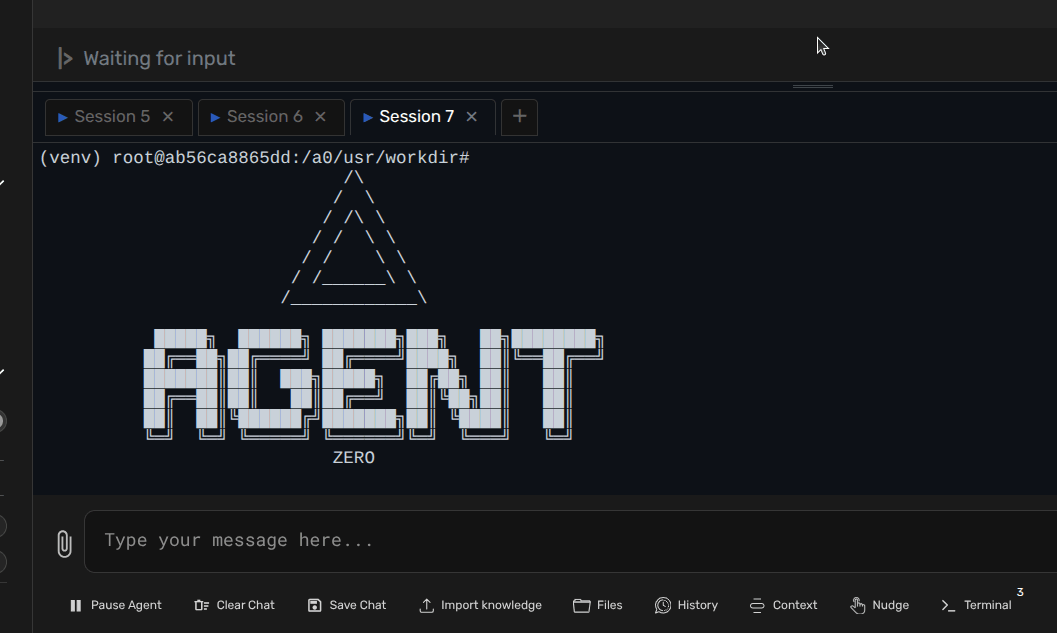
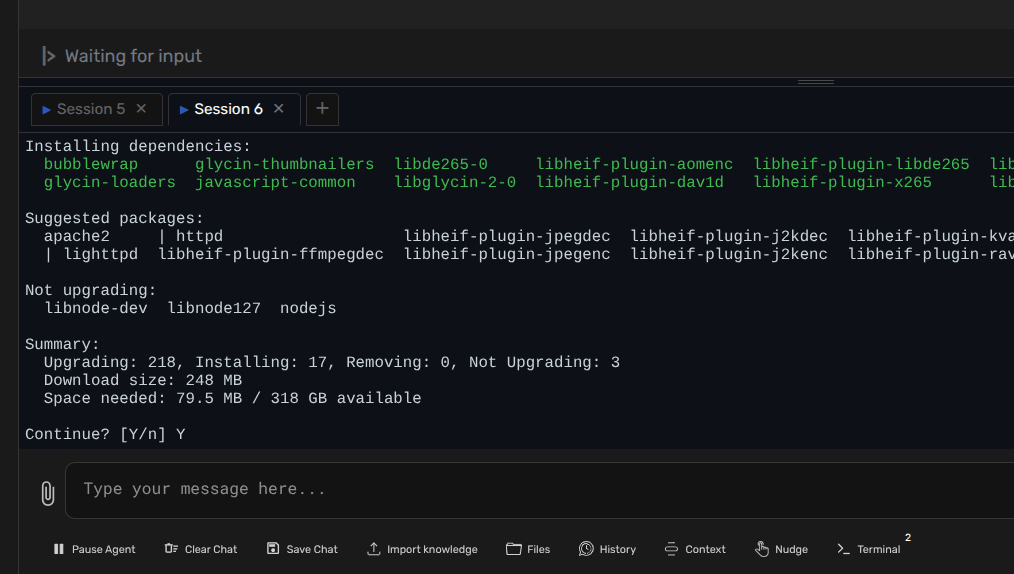
README
Docker Terminal
Embedded multi-session terminal for Agent Zero, in chat and on the welcome screen.

This plugin adds a terminal button to the chat input area and opens a docked terminal panel directly inside the Agent Zero UI. It supports multiple PTY-backed sessions, tab switching, live resize, persistent sessions while hidden, and a configurable startup directory across both Docker and local development runtimes.
Welcome panel
On a welcome screen with movable blocks, Terminal appears as a full-width panel. Click Open terminal to connect; visiting Welcome alone does not start a shell. Use the header controls to switch to half width, drag the panel, or dismiss it. Show all dismissed restores it. Adjacent half-width panels share a row; an unpaired panel expands automatically. The terminal fills its card to the bottom, including when paired with a taller panel.
The welcome panel and chat panel share sessions and terminal controls. Moving the panel or switching between Welcome and chat preserves sessions, including when close-on-hide is enabled. Explicitly hiding the terminal still follows preserve_sessions_on_hide. On older Agent Zero versions, the original chat terminal remains available.
Features
- Open a terminal panel directly from Welcome or the Agent Zero chat UI
- Automatically create the first session when the panel opens
- Run multiple terminal sessions with tab switching
- Copy selected terminal text and paste clipboard content from dedicated panel controls
- Resize the panel vertically from the UI
- Keep sessions alive while the panel is hidden, or close them on hide
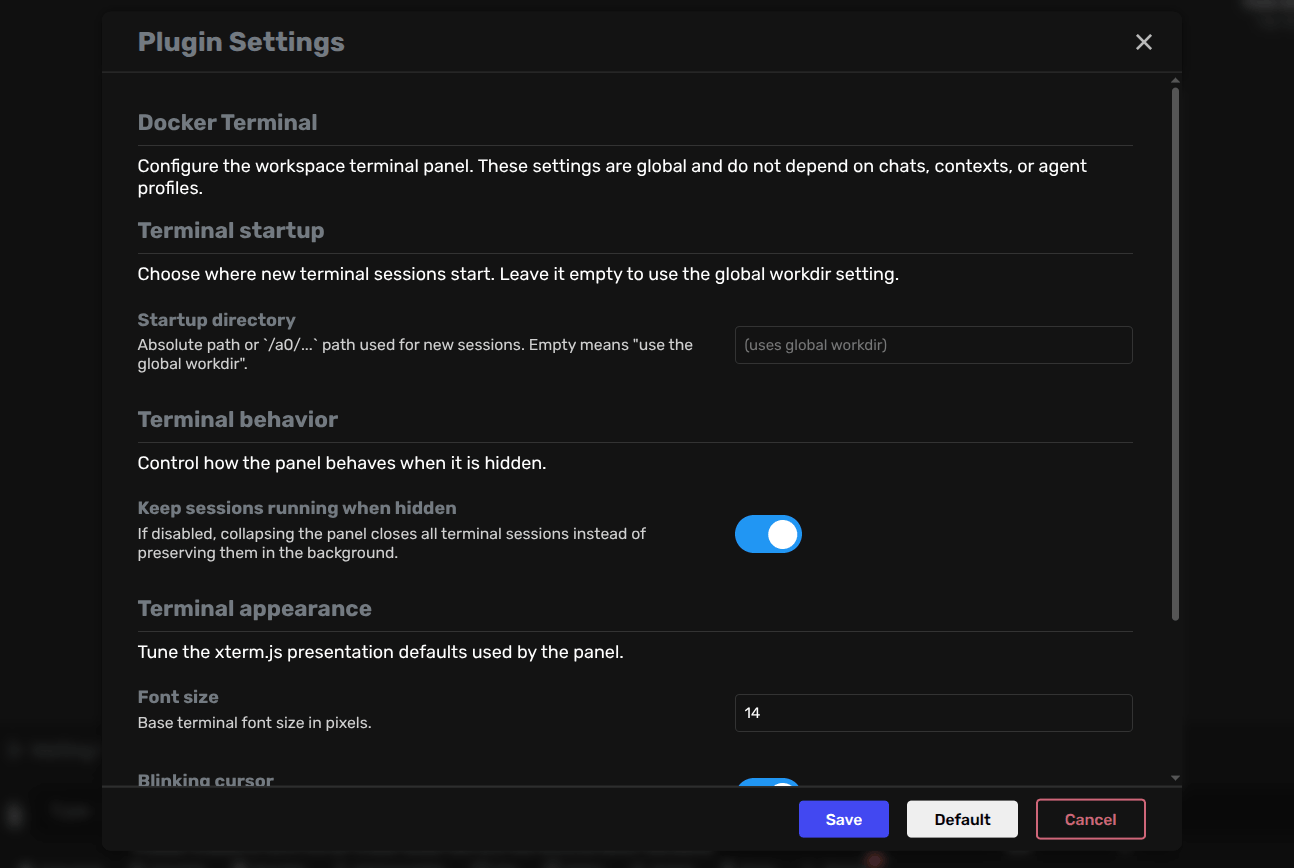
- Configure startup directory, font size, cursor blink, and default panel height
- Resolve
/a0/...startup directories correctly in both Docker and local development - Works from
usr/plugins/docker_terminalwithout any symlink or install script
Plugin settings are available under the Developer settings section.
Usage
After the plugin is enabled:
- Open Agent Zero in the browser.
- Click the
Terminalbutton near the chat input. - The panel opens and creates a session automatically if none exist yet.
- Use the
+tab button to create additional sessions. - Use the copy and paste buttons in the tab bar for clipboard operations (
Ctrl+Shift+CandCtrl+Shift+Vare also supported). - Use the close button on a tab to close a session.
- Collapse the panel with the arrow button when you want to hide it.
Configuration
The plugin exposes the following settings:
startup_directory: absolute native path or/a0/...path used for new sessionspreserve_sessions_on_hide: keep sessions running when the panel is hiddenfont_size: terminal font size in pixelscursor_blink: enable or disable the blinking cursordefault_panel_height_vh: initial panel height as viewport percentage
Default configuration:
startup_directory: ""
preserve_sessions_on_hide: true
font_size: 14
cursor_blink: true
default_panel_height_vh: 40
Notes
- The terminal runs inside the Agent Zero runtime environment, so it has access to the same filesystem and tools available to that runtime.
- In Docker,
/a0/...paths are used directly. In local development,/a0/...paths are resolved to the matching local checkout path for execution while still being shown as/a0/...in the UI when applicable. - Plugin installs, updates, and uninstall close plugin-owned terminal sessions. Installs and updates remove stale loaded plugin modules, and clean local bytecode caches so websocket reconnects can recover without an app restart.
- The frontend loads
xterm.jsandxterm-addon-fitfrom jsDelivr CDN at runtime. - This plugin is designed for the Agent Zero plugin system and should live at the repository root when published as a standalone plugin repository.
Verification
Run node --test tests/welcome.test.mjs for host handoff and loading cancellation checks. Live checks should include running a command, switching sessions, half/full width, reordering, dismissal/restoration, chat transitions, and both color themes.
Repository Layout
docker_terminal/
├── plugin.yaml
├── default_config.yaml
├── api/
├── extensions/
├── helpers/
└── webui/
Import Pattern
Plugin-local Python imports should use the fully qualified usr.plugins...
package path:
import usr.plugins.docker_terminal.helpers.session_store as session_store
from usr.plugins.docker_terminal.helpers.session_runtime import create_terminal_session
This avoids sys.path hacks, avoids persistent symlinks into /a0/plugins/,
and keeps plugin imports reversible: when the plugin is removed, no global
import wiring should remain behind.
License
MIT