
Parley Chat Integration
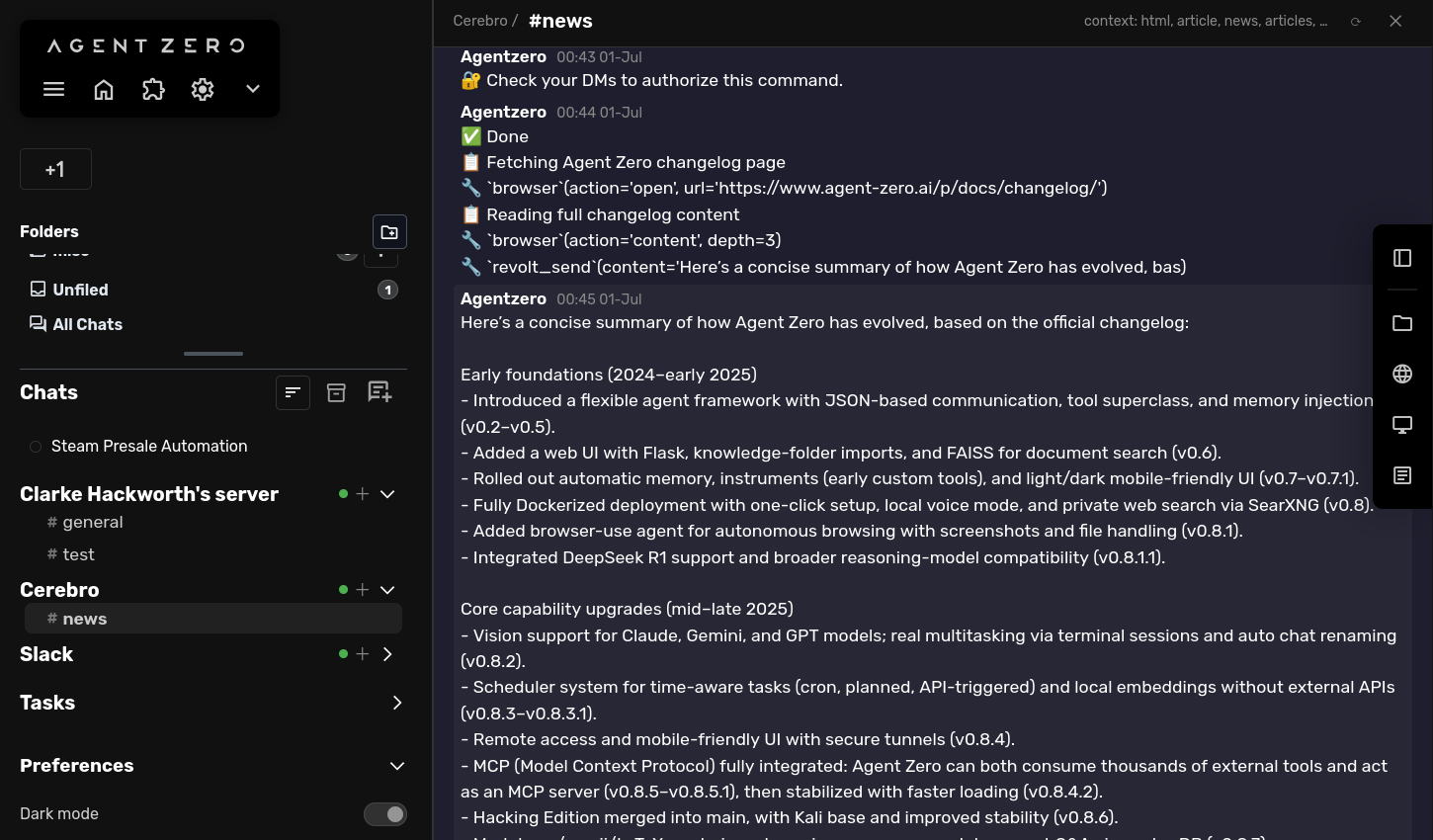
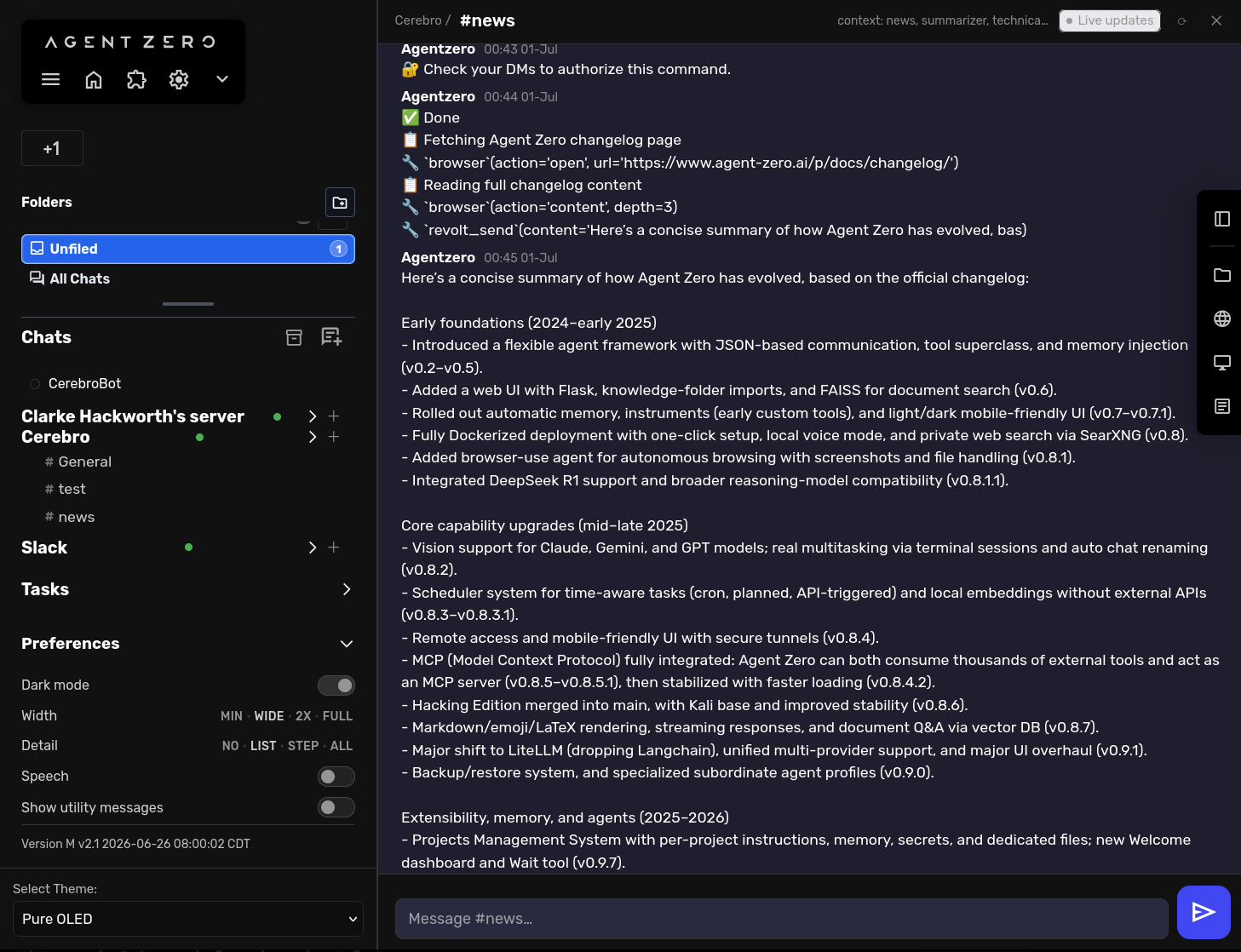
Bring Agent Zero into Stoat/Revolt, Discord, and Slack as a teammate, not a bolted-on bot. It builds smart context-aware conversations from channel history, so you don't have to repeat yourself, and replies right in-thread when @mentioned.
Screenshots
README
Agent Parley — Chat Plugin for Agent Zero
Bring Agent Zero into Stoat/Revolt, Discord, and Slack as a teammate, not a bolted-on bot. It listens for @mentions over WebSocket/Socket Mode, builds smart context-aware conversations from channel history, and replies right in-thread — without any browser or manual polling.
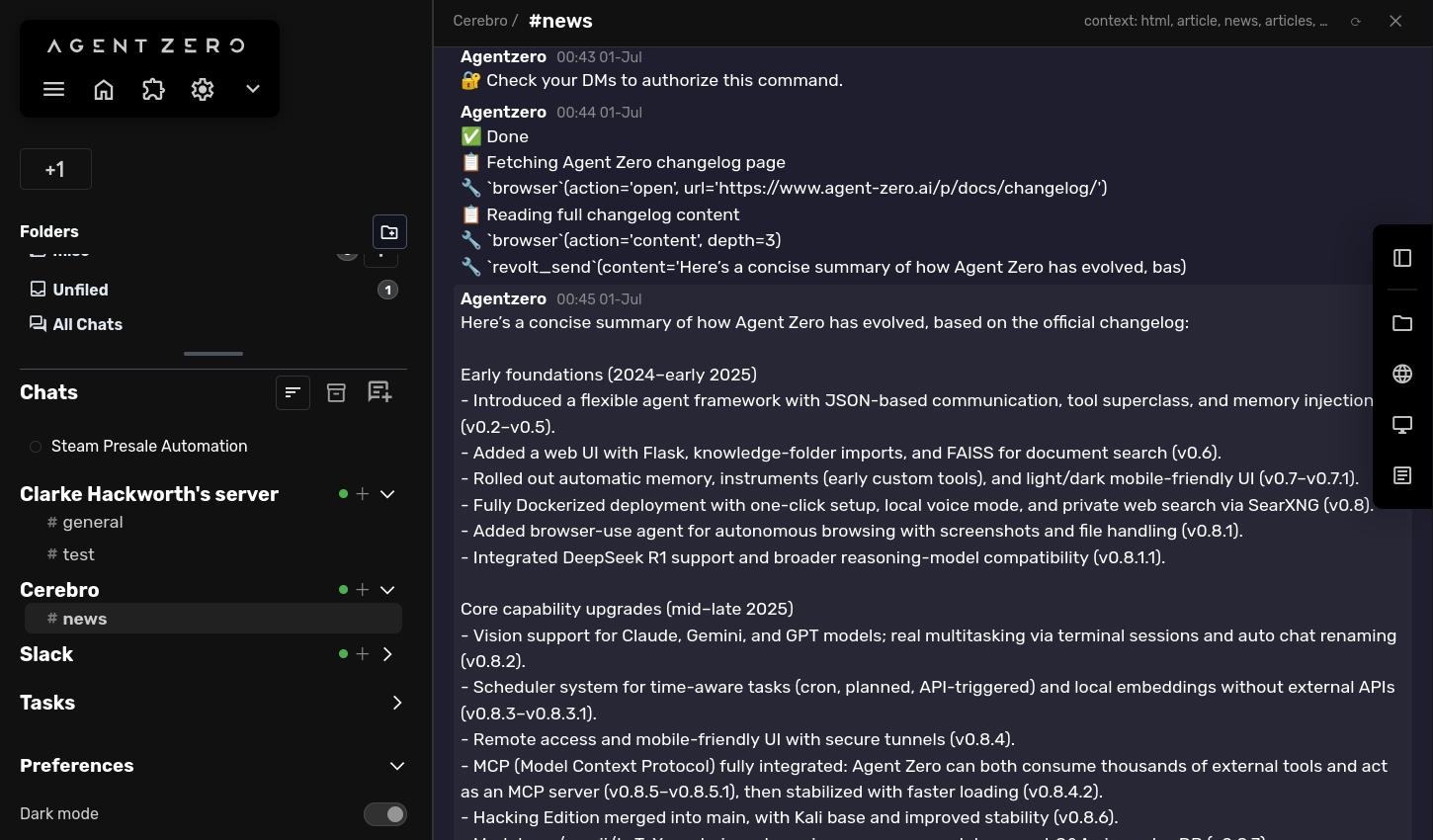
There are other plugins that connect Agent Zero to a messaging app, but most stop at sending and receiving messages. Parley isn't about messaging — it's about community interaction and smart context management of channels: it builds rich, deduplicated conversation context from history, pins, and search backfill before the agent ever replies, so it acts like a teammate who's been reading the channel, not a bot relaying a single message.
Features
- Three platforms, one agent — Stoat/Revolt, Discord, and Slack all wired through the same listener and context-window pipeline
- WebSocket / Socket Mode listener — persistent background connection per platform; responds to @mentions automatically
- Context-aware backfill — combines recent messages, keyword-searched history, pinned messages, and neighbor expansion into a single rich context window
- Shell command gating — commands are disabled by default; when enabled, they can require a password confirmed via DM before running (see Password security)
- DM password challenge — if a password is set, the bot DMs the requester to confirm it out-of-band instead of trusting a password typed in a public channel
- Web UI config panel — configure credentials and tuning knobs from the Agent Zero sidebar
Requirements
- A running Agent Zero instance
- At least one of: a self-hosted Revolt/Stoat instance, a Discord bot, or a Slack app
Installation
1. Install the plugin
In Agent Zero's web UI, go to Settings → Plugins → Add Plugin and paste this repository's URL:
https://github.com/clarkehackworth/a0-agent-parley
After Agent Zero clones the plugin, click Init next to Parley in the Plugin List to run execute.py, which installs its Python dependencies (aiohttp, pyyaml, httptools).
2. Configure credentials
Open Agent Zero's web UI → Settings → Plugins → Parley, and fill in the tab(s) for whichever platform(s) you're connecting.
Stoat / Revolt
| Field | Description |
|---|---|
REVOLT_URL |
Base URL of your Revolt instance, e.g. http://stoat.lan:13080 |
REVOLT_BOT_TOKEN |
Token from your Revolt bot settings page |
REVOLT_BOT_ID |
The bot's user ID (filters the bot's own messages) |
REVOLT_SERVER_ID |
ID of the Revolt server (guild) to connect to |
Discord
| Field | Description |
|---|---|
DISCORD_BOT_TOKEN |
Bot token from the Discord Developer Portal |
DISCORD_GUILD_ID |
ID of the Discord guild (server) to connect to |
DISCORD_BOT_ID |
The bot's user ID (optional; auto-fetched via /users/@me) |
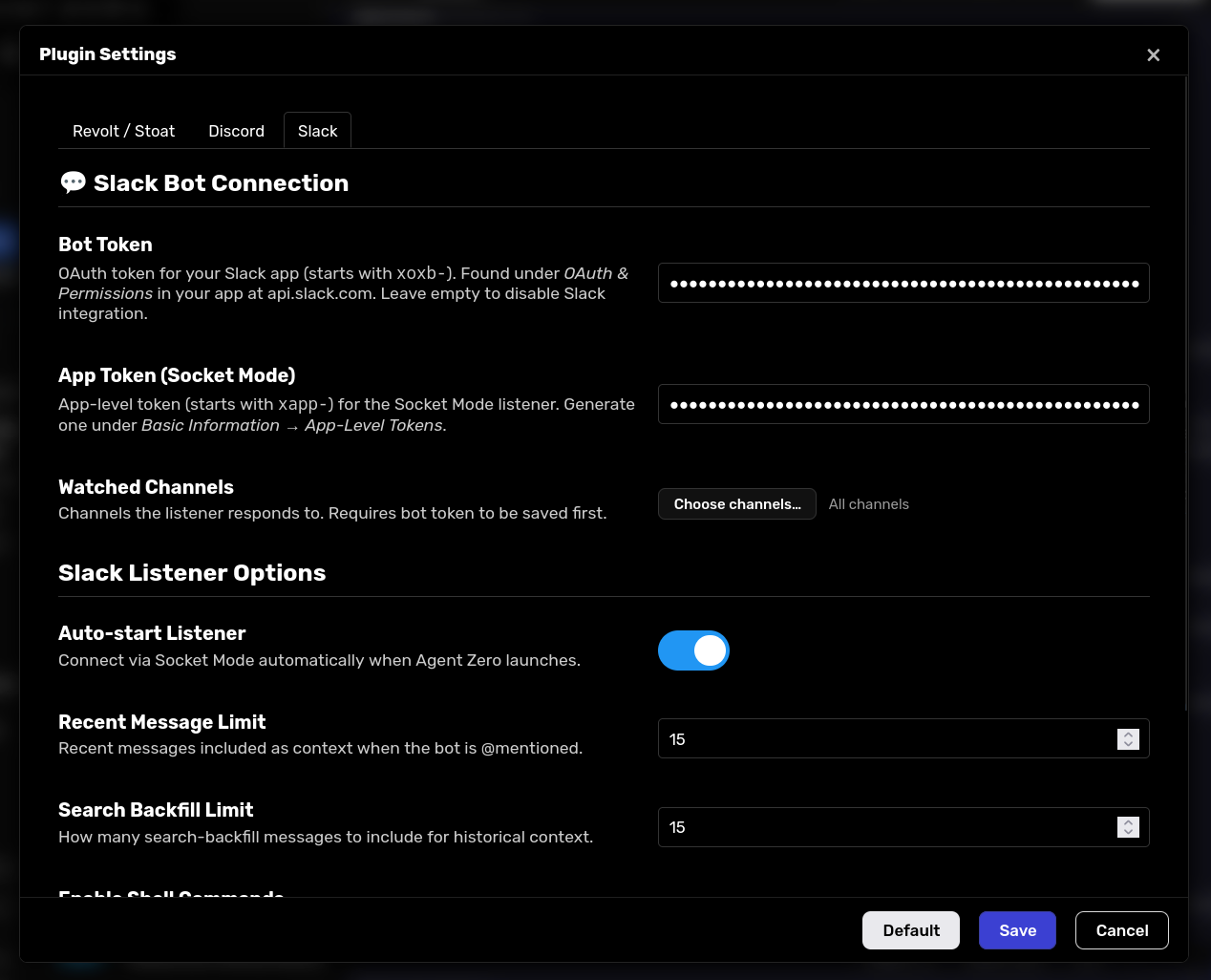
Slack
| Field | Description |
|---|---|
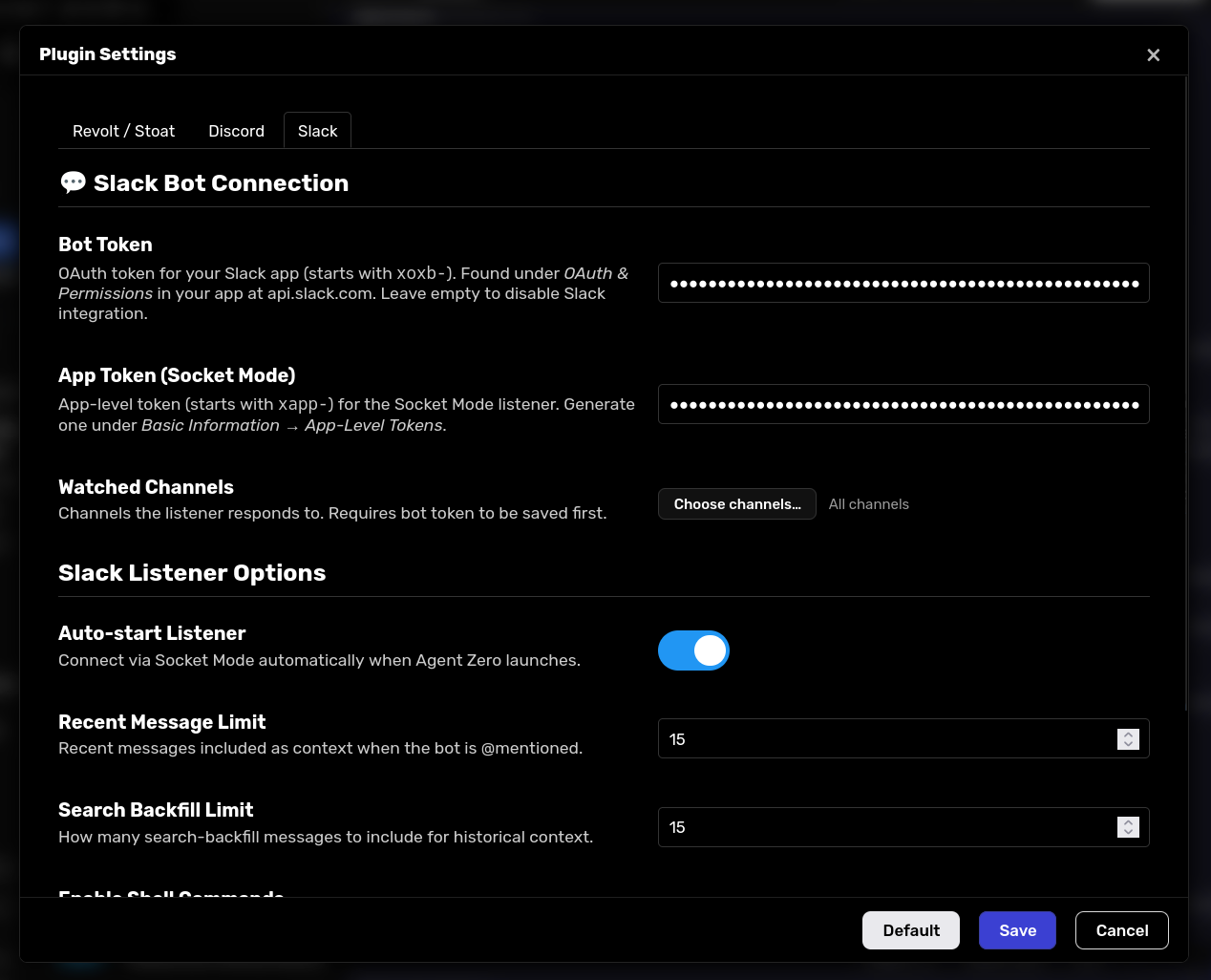
SLACK_BOT_TOKEN |
Bot token (xoxb-...) for Web API calls |
SLACK_APP_TOKEN |
App-level token (xapp-...) for the Socket Mode listener |
SLACK_TEAM_ID |
Slack workspace/team ID |
These can also be set as environment variables on the container.
Bot setup per platform
Each platform needs a bot account created and invited before AgentParley can connect. Minimal steps and required permissions/scopes below.
Stoat / Revolt
- In your Revolt server, go to Server Settings → Bots → Create Bot and copy the generated token (
REVOLT_BOT_TOKEN) and bot user ID (REVOLT_BOT_ID). - Invite the bot to your server via the bot's invite link, then note the server's ID (
REVOLT_SERVER_ID, visible in Server Settings → Overview). - Give the bot's role permission to View Channel, Send Messages, and Read Message History in any channel it should watch.
Discord
- Create an application at the Discord Developer Portal → Bot tab → Add Bot, then copy the bot token (
DISCORD_BOT_TOKEN). - Under Bot → Privileged Gateway Intents, enable Message Content Intent — AgentParley requests the
GUILD_MESSAGES,MESSAGE_CONTENT, andDIRECT_MESSAGESintents to read @mentions and DM replies. - Under OAuth2 → URL Generator, select the
botscope and grant View Channels, Send Messages, and Read Message History, then open the generated URL to invite the bot to your server (DISCORD_GUILD_ID).
Slack
- Create an app at api.slack.com/apps (from scratch), then under OAuth & Permissions → Bot Token Scopes add:
chat:write,channels:read,channels:history,groups:read,groups:history,im:read,im:history,users:read. Addsearch:readtoo if you want keyword backfill. - Under Socket Mode, enable it and generate an app-level token with the
connections:writescope (SLACK_APP_TOKEN). - Under Event Subscriptions, subscribe to the
message.channels(andmessage.imfor DMs) bot events, then Install App to Workspace and copy the Bot User OAuth Token (SLACK_BOT_TOKEN) and workspace Team ID (SLACK_TEAM_ID). - Invite the bot to any channels it should watch with
/invite @yourbot.
3. Enable the plugin
In Agent Zero's Plugin List, toggle Parley on. The WebSocket listener starts automatically (auto_start: true by default). The bot is now online.
Configuration reference
All settings live in default_config.yaml and are overridable via env vars or the web UI.
| Key / Env var | Default | Description |
|---|---|---|
enable_commands |
false |
Allow Agent Zero to run shell commands when triggered by a chat message |
commands_password |
(empty) | If enable_commands is true and this is set, the requester must confirm this password via a DM challenge before commands run |
auto_start / REVOLT_AUTO_START |
true |
Start listener automatically with Agent Zero |
watched_channels / REVOLT_WATCHED_CHANNELS |
(empty = all) | Comma-separated channel IDs to respond to |
recent_limit / REVOLT_RECENT_LIMIT |
25 |
Recent messages to anchor the context window |
search_limit / REVOLT_SEARCH_LIMIT |
15 |
Keyword-backfill messages to include |
max_age_days / REVOLT_MAX_AGE_DAYS |
30 |
Drop backfill hits older than N days (0 = no limit) |
neighbors / REVOLT_NEIGHBORS |
2 |
Messages fetched either side of each backfill hit |
expand_top / REVOLT_EXPAND_TOP |
3 |
Top backfill hits to expand with neighbor messages |
include_first / REVOLT_INCLUDE_FIRST |
true |
Include the channel's oldest message in every context |
include_pinned / REVOLT_INCLUDE_PINNED |
true |
Include pinned messages in every context |
Password security
If enable_commands is on and commands_password is set, the password is never accepted from the public channel message. Instead:
- The requester @mentions the bot in the channel; the bot replies publicly with "🔐 Check your DMs to authorize this command."
- The bot sends the requester a direct message asking them to reply with the password.
- The requester replies to that DM with the password. Only that private reply is checked — the original public message is never inspected for a password.
- If the correct password arrives within 2 minutes, the command is authorized and the original request proceeds. If it times out or the DM can't be sent (e.g. the requester has DMs disabled), the request is dropped and no commands run.
This means the password only ever needs to be known to a human confirming out-of-band — it's never parsed out of, or exposed in, the triggering channel message.
Project layout
AgentParley/
├── plugin.yaml          # Plugin manifest (name, credentials, settings)
├── default_config.yaml  # Default values for all config knobs
├── hooks.py             # Agent Zero hook: reconnect listeners on config save
├── execute.py           # Dependency installer (aiohttp, pyyaml, httptools) — run via the Init button
├── deploy.sh            # One-command deploy to Docker container
│
├── api/                 # Web UI endpoints (status, channel listing, message send/bridge)
├── tools/               # Agent Zero tools
│   ├── revolt_read.py
│   ├── revolt_send.py
│   ├── revolt_channels.py
│   ├── discord_send.py
│   └── slack_send.py
│
├── helpers/             # Shared runtime state
│   ├── revolt_listener.py    # WebSocket listener (background task)
│   ├── discord_listener.py
│   ├── slack_listener.py
│   ├── dm_auth.py            # DM password-challenge store
│   ├── revolt_constants.py / discord_constants.py / slack_constants.py
│   └── revolt_sent_ids.py    # Echo prevention
│
├── core/                # Context window logic
│   ├── context_window.py
│   ├── context_config.py
│   ├── keywords.py
│   ├── formatting.py
│   ├── message_split.py
│   ├── models.py
│   └── echo_prevention.py
│
├── infrastructure/      # Platform API clients (revolt/, discord/, slack/) + platform_factory
├── interface/agent_zero/ # @mention handlers that bridge platform messages into Agent Zero
├── ports/               # Chat platform abstraction
├── extensions/          # Agent Zero lifecycle/webui extension points (listener startup, bridge replies, channel picker UI)
├── prompts/             # Tool descriptions surfaced to the agent
├── webui/               # config.html panel
└── tests/
Development
deploy.sh is a convenience script for pushing a local checkout straight into a dev container over SSH, without going through Agent Zero's plugin installer each time.
./deploy.sh
This copies the plugin into the container at /a0/usr/plugins/parley/, then runs execute.py to install Python dependencies inside the container's virtualenv. Add --restart to also bounce the container (needed if you changed listener startup logic or added new dependencies):
./deploy.sh --restart
Default target:
docker -H ssh://docker.lan/ containeragent-zero. Editdeploy.shif your setup differs.