
Commands
YAML-configured slash commands with text templates or Python hooks, plus an included skill that can create or update command files for you.
Screenshots
README
Commands
YAML-configured slash commands for Agent Zero.
This plugin lets you define reusable /commands as .command.yaml files with either:
- a
.txttemplate body - a
.pyscript hook
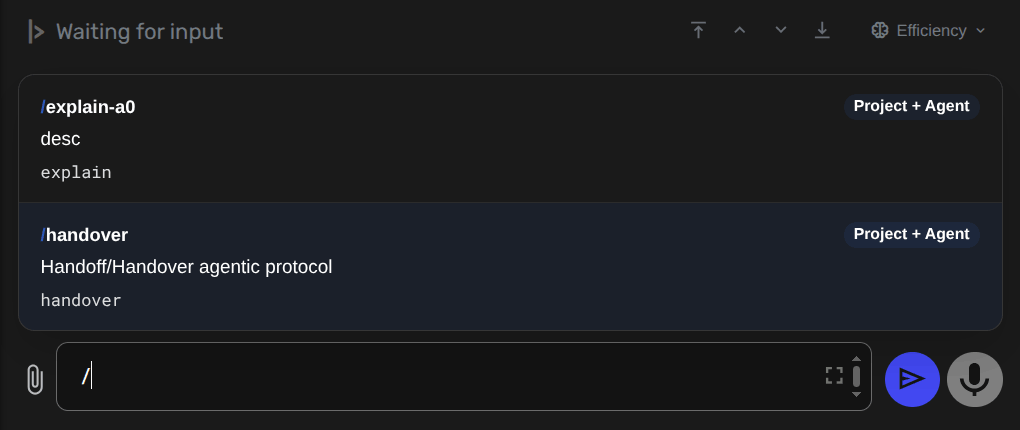
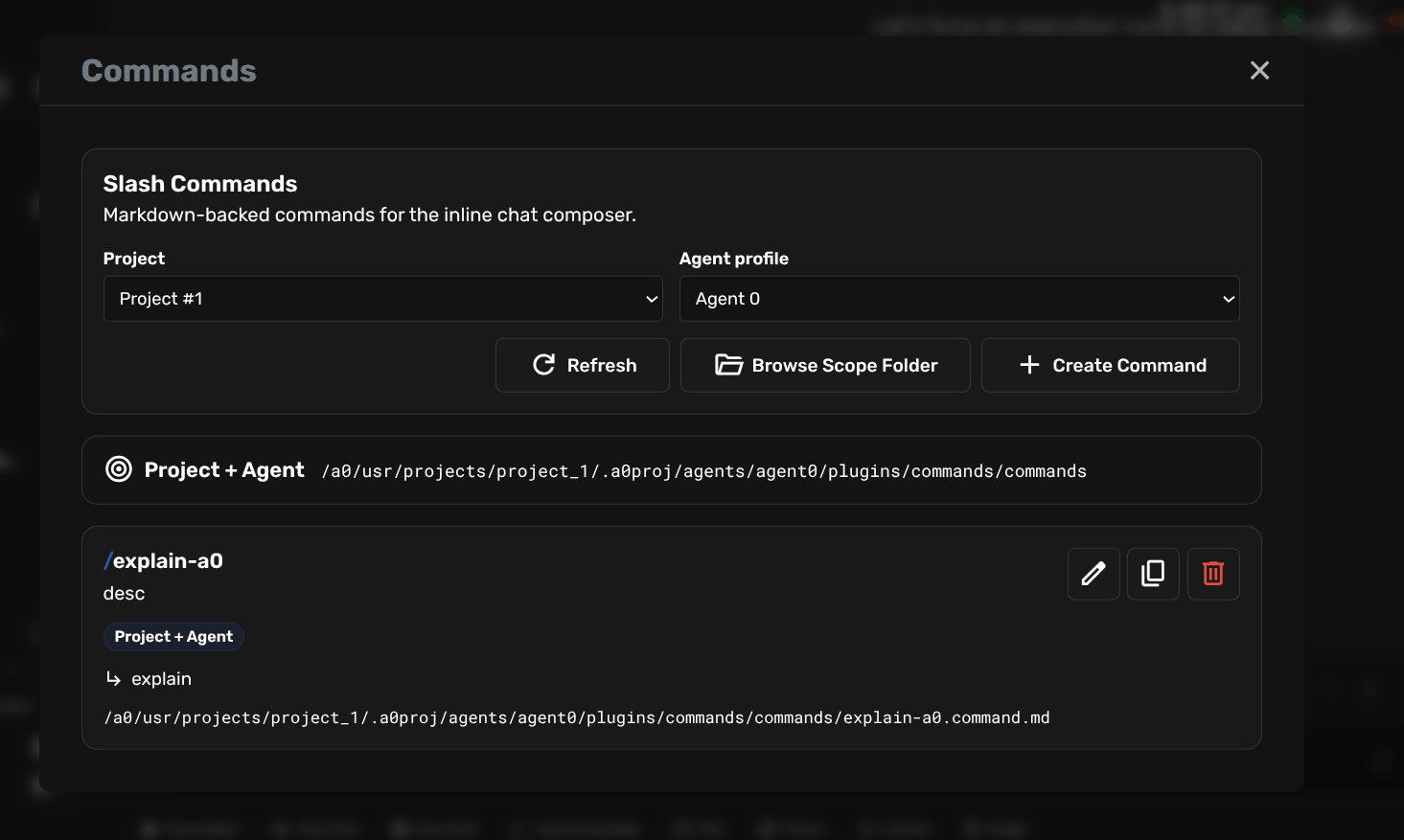
Commands are managed from the plugin modal and can be inserted directly from the chat composer when the first token starts with /.
Features
.command.yamlconfig files with command metadata- Text template commands with
{}placeholders and parsed args - Python hook commands with parsed args and optional chat history payload
- Unified parser for positional args, free-form tail, and flags
- Scope-aware command resolution across project and global scopes
- Slash picker in the chat composer with keyboard navigation and create-on-empty flow
Command File Model
Each command is defined by one config file plus one content file in the same scope directory.
Example text command:
scan.command.yaml
name: scan
description: Scan a Git repository.
argument_hint: /scan --git-url https://github.com/org/repo
type: text
template_path: scan.txt
scan.txt
Please scan repository: {args.flags.git_url}

Raw input:
{raw}
Example python hook command:
optimize.command.yaml
name: optimize
description: Optimize the current request.
argument_hint: /optimize 30%
type: script
script_path: optimize.py
include_history: true
optimize.py
def run(payload):
    args = payload["arguments"]
    pct = args["positional"][0] if args["positional"] else "10%"
    return {
        "text": f"Optimize this response by {pct}.",
        "effects": [],
    }
Argument Parsing
The parser supports:
- Positional input:
/scan https://github.com/org/repo - Long flags:
/scan --git-url https://github.com/org/repo - Long flags with equals:
/scan --git-url=https://github.com/org/repo - Short flags and bundles:
/scan -v -qor/scan -vq
Parsed data is available to:
- Text templates via
{}placeholders:{raw}{args.positional.0}{args.flags.git_url}
- Python scripts via
payload["arguments"]
Script Hook Contract
Python hook file must expose:
def run(payload): ...
It can return:
str(used as replacement text)dictwith:text: str(replacement text)effects: list[dict]
Supported frontend effects:
{"type": "replace_input", "text": "..."}{"type": "append_input", "text": "..."}{"type": "toast", "level": "info|error|success", "message": "..."}
Scope Resolution
Commands are discovered from these scope folders:
- Project:
usr/projects/<project>/.a0proj/plugins/commands/commands/ - Global fallback:
usr/plugins/commands/commands/
Precedence in the chat picker:
- Project
- Global
UI Surfaces
- Plugin modal: open the Commands manager from the Plugins dialog
- Sidebar quick action: terminal icon next to the Plugins button
- Chat composer: type
/at the start of the inline input to browse commands
Agent Skill
The plugin ships with commands-create-slash-command, a plugin-scoped skill that helps Agent Zero create or update command files.